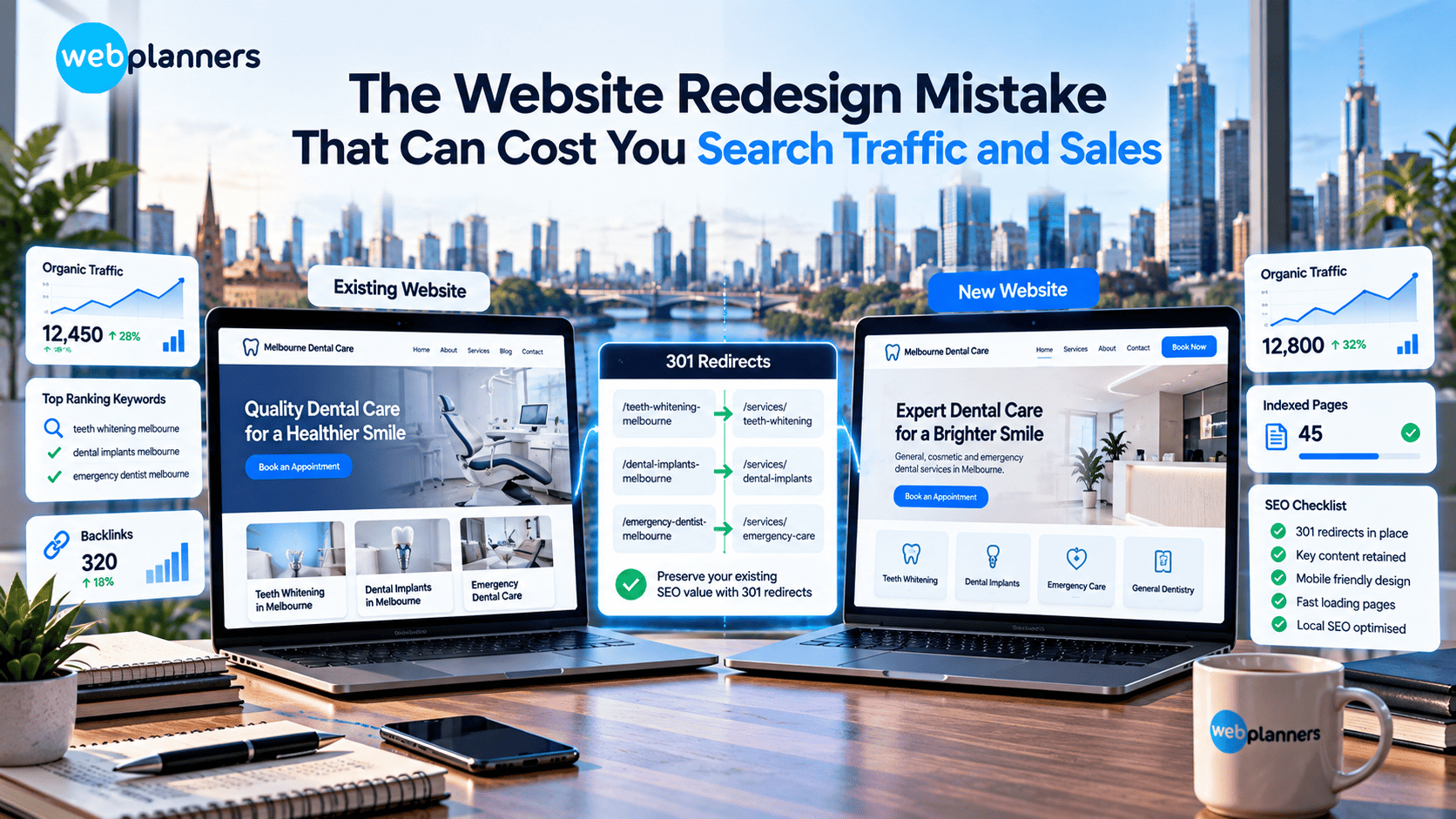
The Website Redesign Mistake That Can Cost You Search Traffic and Sales
A redesign can sharpen your brand, make the site easier to use and lift enquiries. It can also wipe out your organic traffic in a week if nobody thinks about SEO until after launch.
The usual mistake is treating the project as a visual makeover. The new layout looks great, but pages have vanished, URLs have changed with no redirects and Google can’t make sense of the new structure. Then the phone goes quiet.
Here’s what tends to go wrong, and how to protect the traffic and enquiries your current site already brings in.
The Biggest Website Redesign Mistake: Ignoring Existing SEO
Your current site probably ranks for a few terms that matter, and some of the people who find you through them become customers. A redesign that ignores that puts it all at risk.
Take a Melbourne dental clinic that ranks for teeth whitening, emergency dental care and implants. In the redesign, someone merges those three service pages into one tidy “Treatments” page. It looks cleaner. But the clinic has just given up three separate rankings, and the patients searching for them go elsewhere.
Before anyone opens a design tool, pull together a baseline:
- which pages bring in the most organic traffic
- which keywords lead to enquiries or sales
- which pages have backlinks pointing at them
- how your key landing pages convert
That tells you what to leave alone, what to improve and what needs careful handling. If you’re weighing up a new build, rely on our web design services in Melbourne to balance design with business goals. Clinics have their own considerations, such as treatment pages and booking flows, and dental web design covers those.
Redesign Your Website Without Losing Search Visibility
Changing URLs Without Proper Redirects
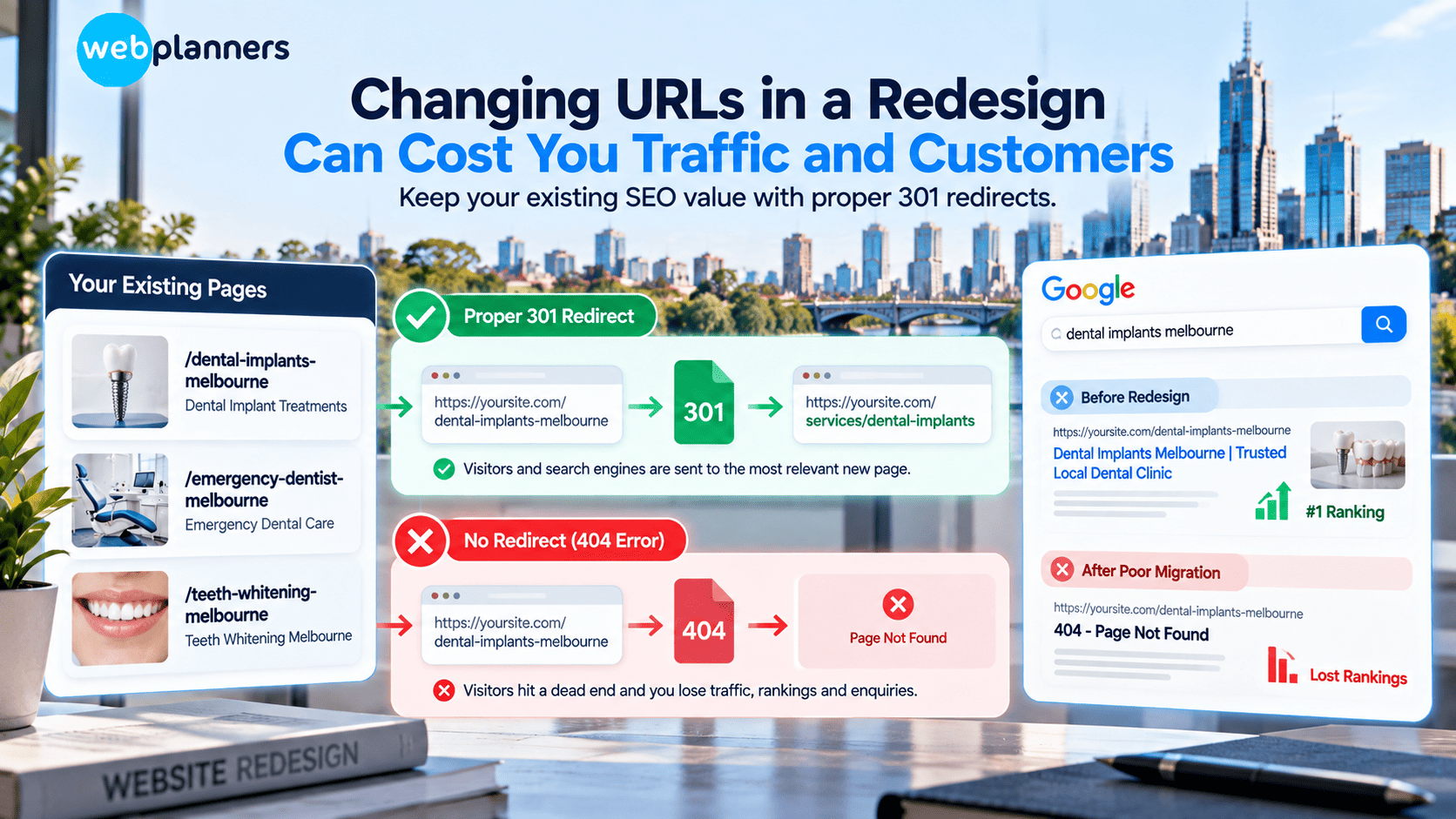
URLs change in almost every redesign. Pages get renamed, addresses get shortened, the structure gets reorganised. That’s fine, as long as the old addresses still lead somewhere.
Say the clinic’s implants page sits at /dental-implants-melbourne and moves during the redesign. If the old address now shows a 404, visitors hit a dead end and Google loses the page it had already ranked. The redirect plan shouldn’t be a rushed job the night before launch.
A workable plan looks like this:
- Export a full list of your current URLs.
- Match each one to the most relevant new page.
- Set up permanent 301 redirects.
- Test them, and watch for chains or redirects that land on broken pages.
Don’t send everything to the homepage. Google tends to treat that as a soft 404, and visitors who wanted implants end up staring at a generic home page.
While you’re remapping, look at your internal linking too. A new menu structure can accidentally cut off pages that used to pass authority to your best service pages.
Removing Content That Already Performs Well
Redesigns love to shorten things. Older pages get cut and long service descriptions get squeezed to fit a new layout.
But a page that looks dated or too wordy might be doing real work. A local accounting firm could have a long guide to small business tax returns that ranks for specific searches and brings in people who are ready to enquire. Swap it for a two-line blurb on a general services page and it stops answering the questions those people came with.
Check traffic, search queries, backlinks and conversions before deleting or trimming anything. If a page does need work, keep the parts that help customers and update the parts that are out of date.
This is also a good moment to look at how your content shows experience. Pages written by real practitioners, with real detail, tend to hold up better, and E-E-A-T explains why. Planning the redesign alongside SEO services means the new structure is built around what search engines already reward.
Overlooking Mobile Experience and Website Speed
A desktop layout that looks impressive can be miserable on a phone. Oversized images, fiddly menus, pop-ups that cover the screen and long forms all make it harder for someone to call or book.
Speed matters here too. Slow pages frustrate people, and loading performance is part of how Google looks at page experience.
Before launch, pick up a phone and try the site properly. Do the key pages load quickly? Does the menu work with a thumb? Are buttons and forms easy to use? Have the images been sized and compressed? Can you see the important content without endless scrolling?
Speed expectations are also shifting as search moves toward AI-driven results. Core Web Vitals and AI search looks at whether site speed still carries the same weight in 2026.
Forgetting Local SEO During a Redesign
If you serve a specific area, your website needs to say so clearly. A redesign can quietly erase that.
A Melbourne dental practice needs service pages and location details that tell nearby patients where it is and what it offers. If the new site drops the suburb references, thins out the service-area content or changes the local landing pages, local rankings can slip.
Go through the basics during the redesign:
- business name, address and phone number, matching your Google Business Profile
- location and service-area pages
- local content that’s still there
- internal links pointing to key service pages
- local business structured data, where it applies
Consistency is the point. When your details match everywhere, customers and search engines can trust them, and local SEO is largely built on that.
Treating AI Search Visibility as an Afterthought
People now ask AI tools to compare providers, explain treatments and suggest businesses, alongside regular search. A redesign is a good chance to make your content easier for both people and machines to understand. in AI-related keywords won’t do that. What works is specific, useful information from a business that actually does the work. A dental clinic could explain its treatment options, how appointments run, what costs involve where it can say, and what patients usually worry about. No inflated claims needed.
Clear page structure, descriptive headings, accurate details and structured data all help. A schema markup checklist is a handy way to make sure the new site doesn’t launch without it.
It’s easier to plan this before the build than to retrofit it after. Webplanners’ AI SEO work covers visibility beyond the traditional results page, and if you want the practical side first, there’s a guide on how to optimise your website for AI search, not just Google.
Launching Without Proper Testing and Monitoring
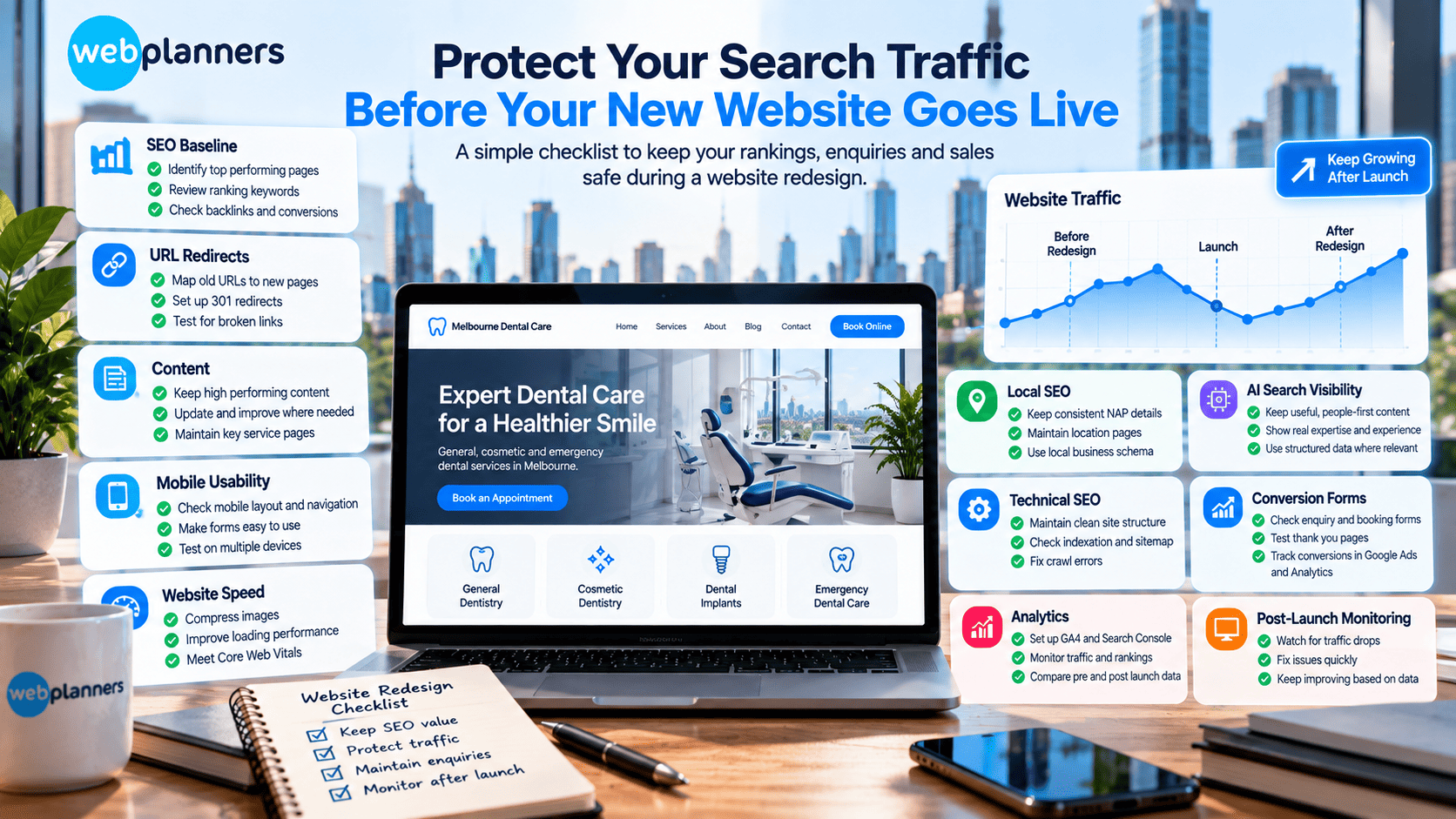
A site can look finished in development and still be full of problems once it’s live. Broken links, missing metadata, wrong redirects, pages Google can’t index and forms that don’t send are all common.
Before launch, test the main pages and navigation, then every form, phone link and enquiry path. Check that old URLs redirect, titles and meta descriptions are in place, canonical tags and indexation settings are right, the XML sitemap and robots.txt are correct, mobile layouts hold up and analytics and conversion tracking are firing.
After launch, keep watching organic traffic, rankings, indexing, enquiries and sales. Compare them with the pre-redesign baseline, but allow for normal swings in demand.
If traffic drops, find the affected pages and queries first. Making broad changes without evidence usually makes things worse.
A Website Redesign Checklist to Protect Traffic and Sales
Run through this before you approve the new site.
| Area | What to check |
|---|---|
| SEO baseline | Record traffic, rankings, conversions and valuable landing pages |
| URL structure | Map old URLs to relevant new destinations |
| Redirects | Set up and test permanent redirects where required |
| Content | Retain or improve pages that attract relevant visitors |
| Mobile usability | Test navigation, forms and layouts on mobile devices |
| Website speed | Check page performance and image optimisation |
| Local SEO | Review location details and local landing pages |
| Technical SEO | Check metadata, indexing, canonical tags and sitemap |
| Conversion paths | Test enquiry forms, calls to action and key customer journeys |
| Post-launch monitoring | Track traffic, rankings, leads and technical errors |
A redesign should improve the site without throwing away the value it has built up over the years.
Keep Your Website Redesign Focused On Business Results
Conclusion
A good redesign does more than update how the site looks. It should fit how customers search, compare services and get in touch.
Protect what already works, and fix what’s holding the business back. Review your current SEO, plan URL changes, keep the useful content, test the new site thoroughly and keep an eye on results after launch.
If you’re planning a redesign, our web design services in Melbourne can line up design with SEO, user experience and commercial goals. Talk to us before the first mockup gets signed off.
FAQs
Can a website redesign cause a sudden drop in Google rankings?
Yes. Rankings can move if the redesign changes URLs, page content, internal links, redirects or technical settings. The redesign isn’t always the only cause, so look at the affected pages and the search data before you change anything.
How long does SEO take to recover after a website redesign?
There’s no fixed timeframe. Search engines need time to crawl and process the changes, and the outcome depends on how big the migration was and what went wrong. Good planning and close monitoring after launch can cut down avoidable disruption.
Should SEO happen before or after a website redesign?
Before, and throughout. Look at existing performance before any design decisions are made, so valuable pages, content and rankings are protected. Technical checks should carry on through development and after launch.
What should a business check first if organic traffic drops after a redesign?
Start with the basics: are the important pages reachable, do the redirects work and can the key pages still be indexed? Then check Google Search Console for changes in clicks, impressions, indexing and affected URLs. Compare it all with your pre-launch baseline to see where the drop began.
Our Recent Blogs

Couldn't be happier with how things have gone since working with Webplanners. The team genuinely cares about getting results and has helped us stay ahead of the competition. Thanks for all the hard work, legends!
Webplanners has been a huge part of our digital growth. Managing multiple websites isn't easy, but they've made the whole process feel effortless. The results have exceeded our expectations.
The team has been great to work with and always keeps us in the loop. We've seen steady improvements over time and the whole process has been straightforward. Very happy with how things are going.