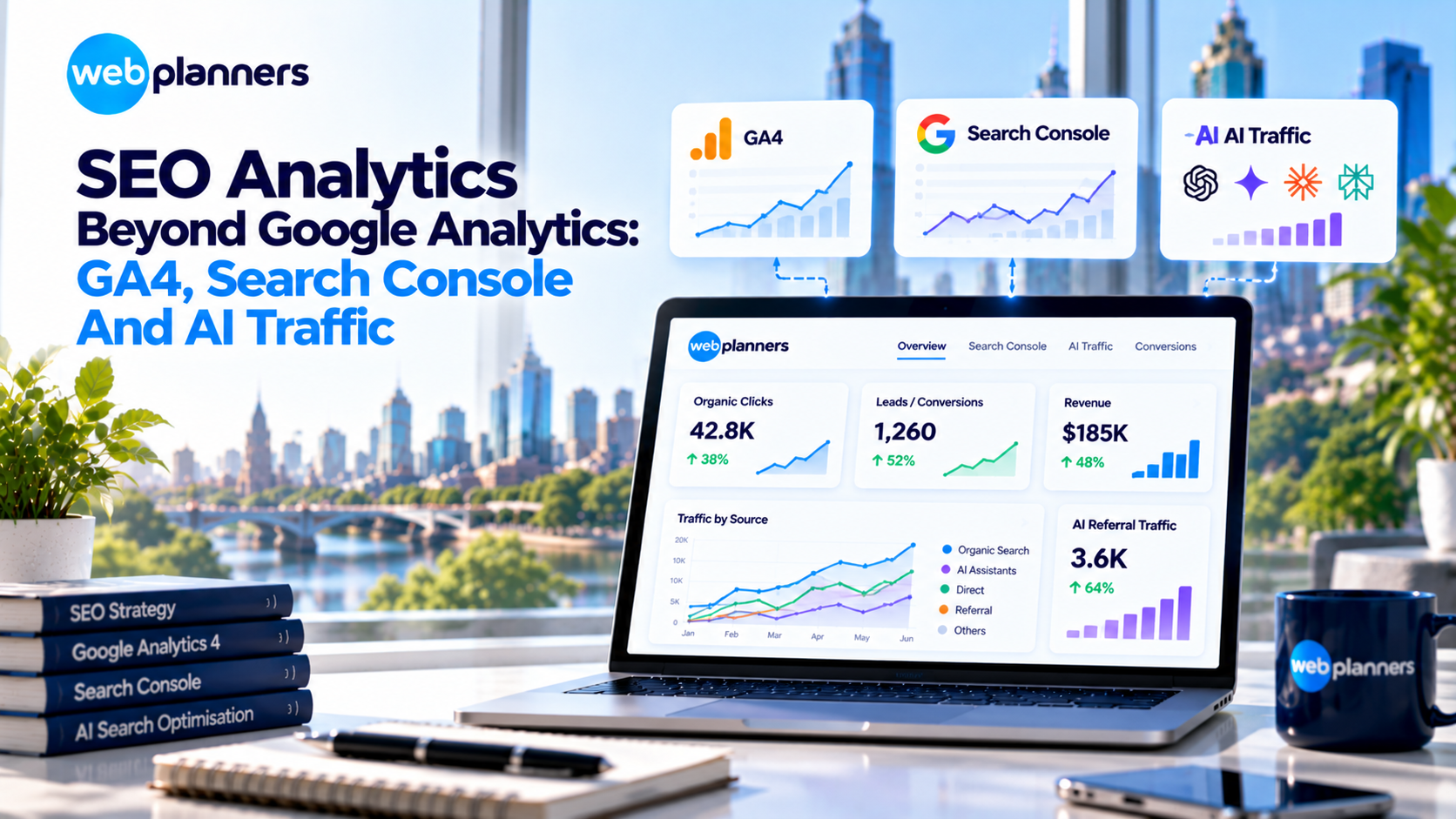
SEO Analytics Beyond Google Analytics: GA4, Search Console And AI Traffic
GA4’s default reports tell you how many people arrived from organic search. They don’t tell you which keywords drove leads, which pages are losing clicks to Google AI Overviews, or how much traffic now comes from ChatGPT. Good SEO analytics joins those dots.
- Why no single tool gives you the full picture
- How to set up GA4 and Search Console so they answer real business questions
- Where AI Overviews and AI assistants show up in your data
- How to pull it all into one dashboard your team will actually open
At Webplanners, our analytics specialists build reporting setups for clients so every lead can be traced back to where it started, whether that was Google or an AI answer.
In this blog, we will understand how to build SEO reporting from GA4, Search Console and AI traffic data, and how to turn it into one dashboard that shows real ROI.
Effective SEO analytics combines Google Analytics 4 (GA4), Google Search Console and CRM data to connect search visibility with leads, conversions and revenue. AI referral tracking adds insight into visits from platforms such as ChatGPT and Perplexity, while citation monitoring helps measure brand visibility in AI-generated answers.
The SEO Analytics Stack
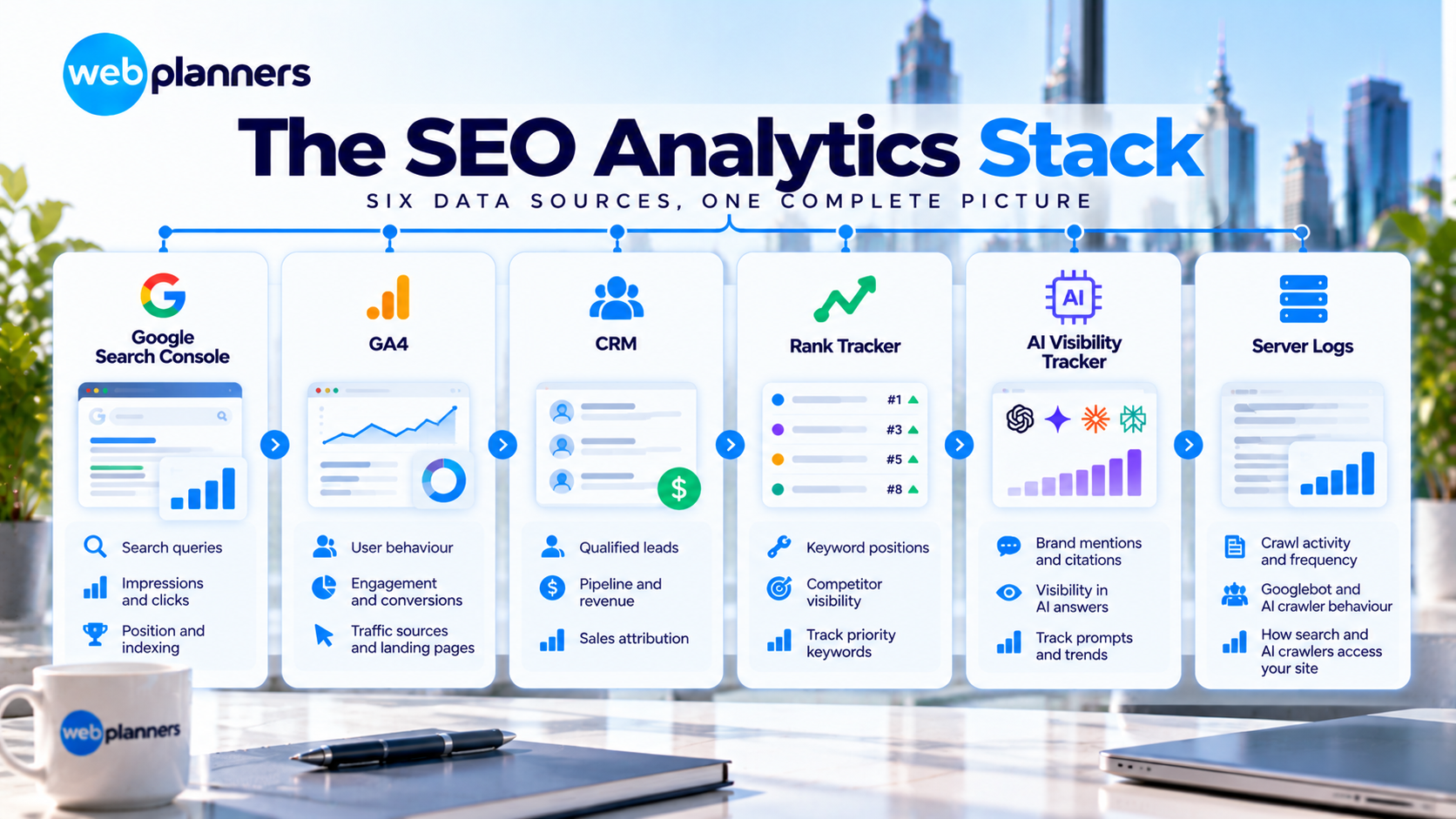
Each tool covers one part of the story, and each has a blind spot. Here’s what to use for what.
| Tool | Answers | Limitation |
|---|---|---|
| Google Search Console | What people searched, impressions, clicks, CTR, position, indexing | No conversion data, and only 16 months of history |
| GA4 | What visitors did after arriving, and which ones converted | No keyword data for organic |
| CRM | Which leads became revenue | Needs source data passed in from forms |
| Rank tracker | Daily positions for priority keywords, competitor visibility | Estimated, not actual clicks |
| AI visibility tracker | Mentions and citations in AI tools | Prompt-based sampling |
| Server logs | How Googlebot and AI crawlers really crawl the site | Needs technical set-up |
Setting Up GA4 For Organic Conversions
Getting GA4 for SEO right comes down to five steps, and most sites skip at least two of them. Our Google Analytics 4 consulting team can handle the setup if you’d rather not do it alone.
- Define key events: Mark form submissions, calls, bookings, purchases and trial sign-ups as key events.
- Track phone calls: Use click-to-call event tracking at minimum, or call-tracking software for full attribution.
- Use the landing page report: Add a filter for the Organic Search channel to see which pages bring in conversions.
- Link Search Console to GA4: This adds Search Console reports inside GA4.
- Pass source data to your CRM: Capture the original source in hidden form fields so you can follow organic leads all the way to revenue.
See Which Pages Drive Leads
Search Console Reports That Matter
Google Search Console analytics has a lot of reports, but these five do most of the work.
- Performance by page: clicks, impressions and CTR for every URL. Watch for pages with high impressions but low CTR.
- Performance by query: filter out brand terms with a regex to see non-brand growth.
- Compare date ranges: year-on-year comparisons remove seasonality.
- Page indexing: which priority pages aren’t indexed, and why.
- Core Web Vitals: groups of URLs failing on mobile.
One thing to know about AI Overviews. Search Console counts their impressions and clicks inside your normal Search results data, and it doesn’t give them a separate filter. So if CTR drops while rankings hold steady, an AI Overview may be taking the click. Compare the affected queries against your AI citation tracking before you assume the page has a problem.
For enterprise sites, Search Console’s bulk data export to BigQuery removes row limits and keeps history beyond 16 months.
Tracking AI Referral Traffic In GA4
When people click a link inside an AI assistant, the visit usually lands in GA4 as referral traffic. Some tools also add UTM tags, such as ChatGPT’s utm_source=chatgpt.com. That’s the starting point to track AI traffic in GA4.
Create a custom channel group called “AI Assistants”, placed above Referral, with a source condition that matches a regex like this:
.*(chatgpt|openai|perplexity|gemini\.google|copilot\.microsoft|claude\.ai).*
Then compare AI visitors with organic search visitors on engagement and conversion rate. Volumes are often small, but the visitors can convert well.
Keep in mind that clicks from Google AI Overviews arrive as ordinary Google organic traffic, so they won’t appear in this channel group. And not every AI interaction sends a click at all. Pair this report with citation tracking, which is the main goal of AEO and GEO work, to get the full picture.
Building A Looker Studio SEO Dashboard
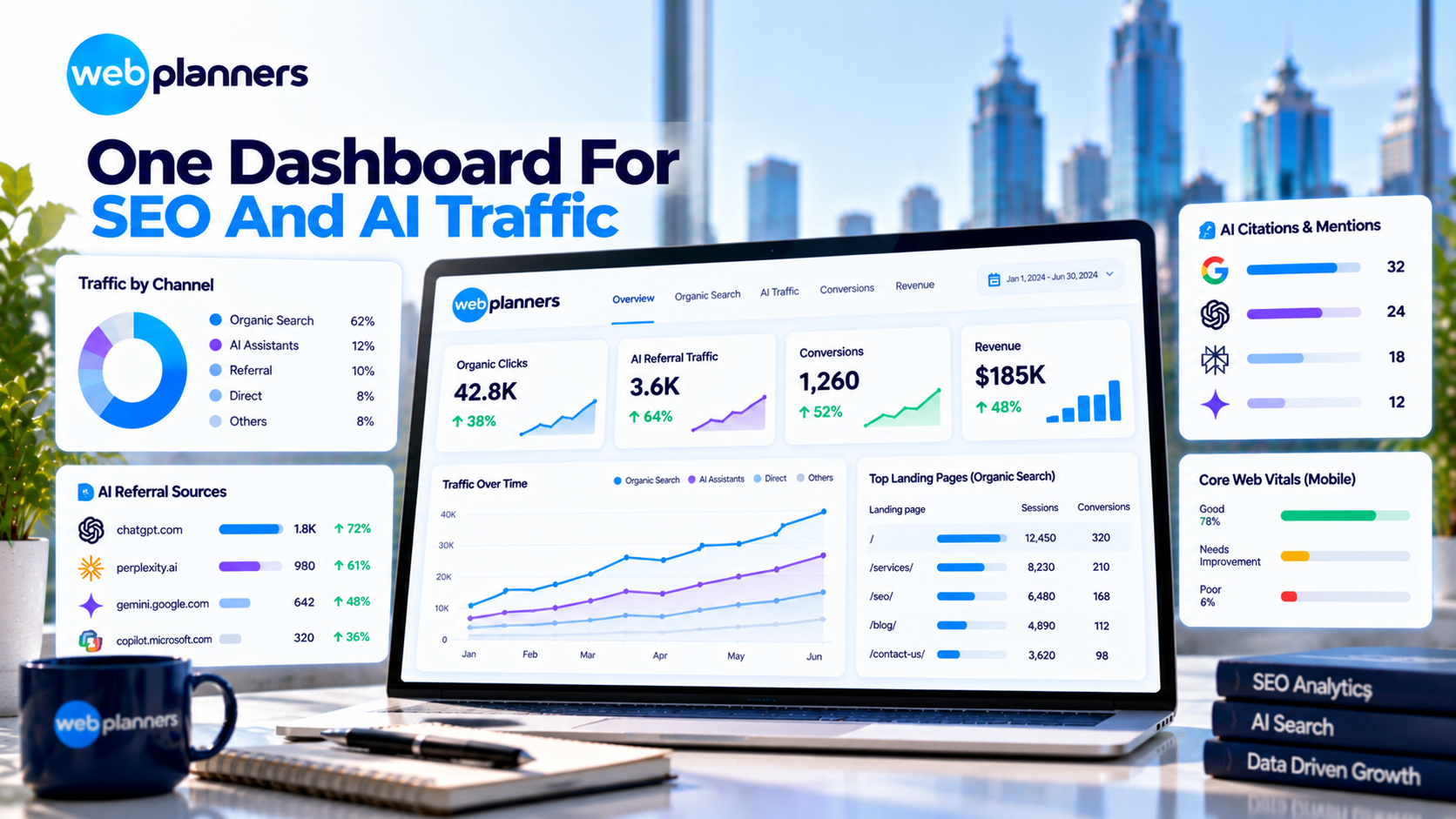
A single dashboard keeps everyone looking at the same numbers. If you want one built for you, our Google Analytics custom dashboard service covers exactly this. Here’s a practical layout:
| Section | Data source | Metrics |
|---|---|---|
| Headline | GA4 + CRM | Organic leads, revenue or pipeline, year on year |
| Search visibility | Search Console | Non-brand clicks, impressions, CTR, average position |
| Top pages | GA4 + Search Console | Sessions, key events and CTR by landing page |
| AI visibility | GA4 + AI tracker | AI referral sessions, conversions, citation rate, AI Overview citations |
| Technical health | Search Console | Indexed pages, Core Web Vitals status |
Turn Your Data Into Revenue
Enterprise SEO Analytics
Larger sites need more depth than a standard setup gives them.
- Log file analysis to see which sections Googlebot and AI crawlers spend time on.
- Segmented reporting by site section, market, product line or location.
- BigQuery to join Search Console, GA4 and CRM data for custom analysis.
- Annotations for releases, migrations and algorithm updates, so trend changes are explainable.
Conclusion
No single report shows whether SEO is working. Search Console tells you what people searched, GA4 shows what they did next, and your CRM shows which of them turned into revenue. It’s only when those three sit together that SEO analytics starts to mean something.
AI has added another layer. AI Overviews can lower your clicks without touching your rankings, and ChatGPT or Perplexity can send visitors that arrive under a different source. Set up the AI Assistants channel group now, add AI citations to your dashboard, and review the whole thing monthly. If you’d like help connecting it all, Webplanners’ Google Analytics consulting team can set up the tracking, and our AI SEO specialists can measure your visibility in AI answers.
FAQs
Why doesn’t GA4 show organic keywords?
Search engines don’t pass keyword data to analytics tools, so GA4 can’t report which queries brought each visitor. Use Google Search Console for query data instead. Then join the two at the landing page level to see which keywords support which pages and conversions.
How do I track AI traffic in GA4?
Open the referral report and look for sources like chatgpt.com and perplexity.ai. For a cleaner view, create a custom channel group called “AI Assistants” using a source regex that matches the major AI tools. Then compare its engagement and conversion rate with organic search.
Do Google AI Overviews show up in Search Console or GA4?
Yes, but not as their own report. Search Console includes AI Overview impressions and clicks in your normal Search performance data. In GA4, those clicks arrive as standard Google organic traffic. To measure AI Overview visibility, track citations separately using a fixed set of prompts.
What is the difference between GA4 and Google Search Console?
Search Console shows what happens before the click, including queries, impressions, CTR, position and indexing. GA4 shows what happens after the click, including engagement and conversions. You need both to link a keyword or page to a lead.
Our Recent Blogs

Couldn't be happier with how things have gone since working with Webplanners. The team genuinely cares about getting results and has helped us stay ahead of the competition. Thanks for all the hard work, legends!
Webplanners has been a huge part of our digital growth. Managing multiple websites isn't easy, but they've made the whole process feel effortless. The results have exceeded our expectations.
The team has been great to work with and always keeps us in the loop. We've seen steady improvements over time and the whole process has been straightforward. Very happy with how things are going.