How Search Engines Crawl and Index Your Website: Every Stage Explained
How search engines crawl a website decides whether a page ever gets a chance to rank. Every page that ranks has been discovered, crawled, rendered, indexed and then ranked, and when one doesn’t show up, the break is almost always at one of those stages.
Key areas to understand include:
- Why Google may crawl a page without indexing it.
- How crawl budget affects websites with large numbers of URLs.
- How AI crawlers such as GPTBot and ClaudeBot access website content.
At Webplanners, a Melbourne SEO agency, we trace indexing problems like these for clients every week, so the fixes below are ones we use ourselves.
In this blog, we will understand how search engines move a page from discovery to ranking, where things usually go wrong, and what to do when a page won’t get indexed.
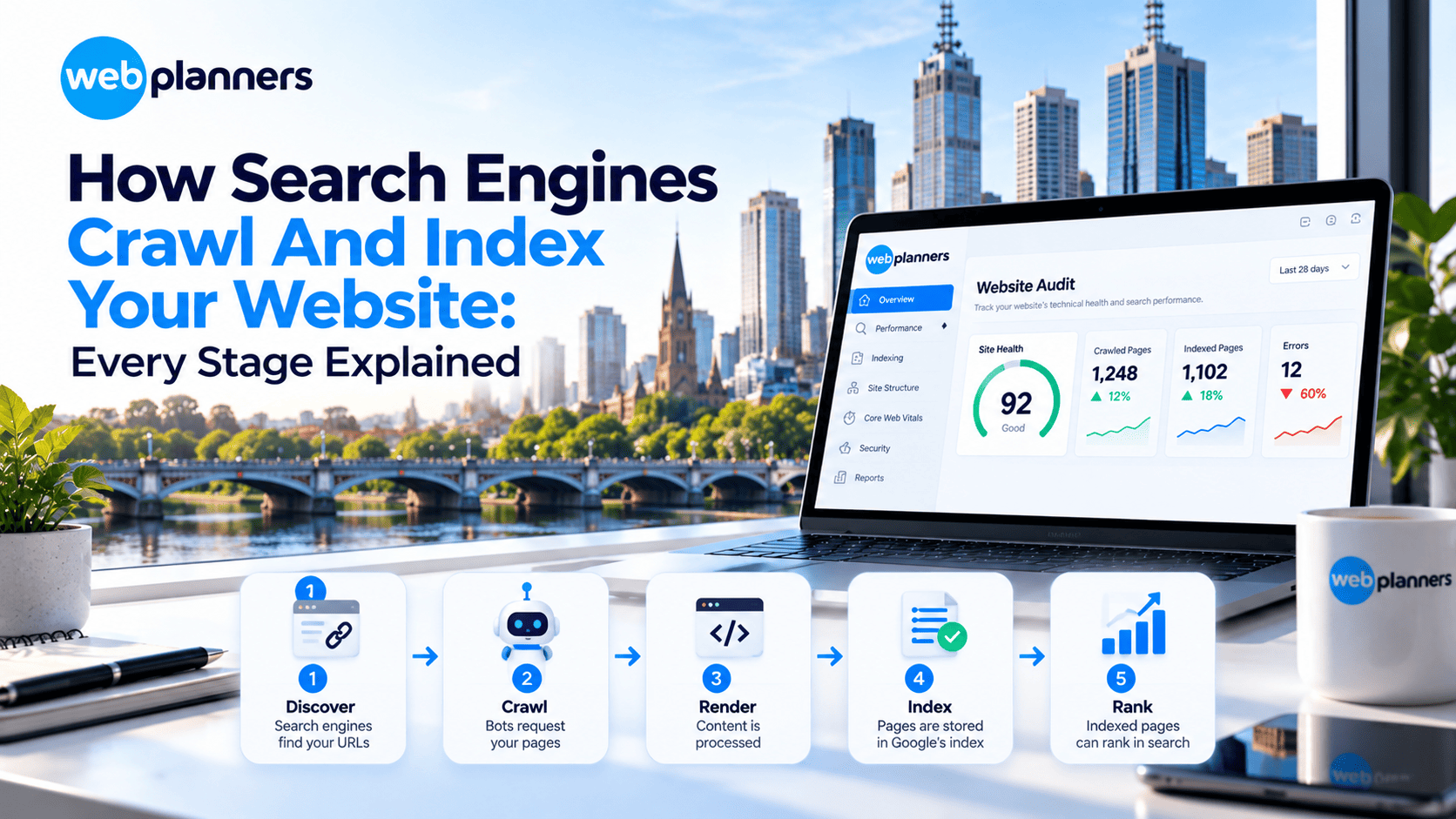
Search engines move every page through five stages: discover, crawl, render, index and rank. Crawling and indexing problems usually hide in stages one to four, and only indexed pages can rank.
- Discover: Bots find URLs through links and sitemaps, so orphan pages often go unseen.
- Crawl: The bot requests the page, unless robots.txt blocks it or your server is slow.
- Render: Google processes HTML, CSS and JavaScript, so hidden or blocked content can be missed.
- Index: Google decides whether the page is unique and useful enough to store.
- Rank: Relevance, quality, links and page experience order the indexed pages.
- AI crawlers: Many skip JavaScript, so key content belongs in the initial HTML.
The 5 Stages of Search Engine Crawling and Indexing
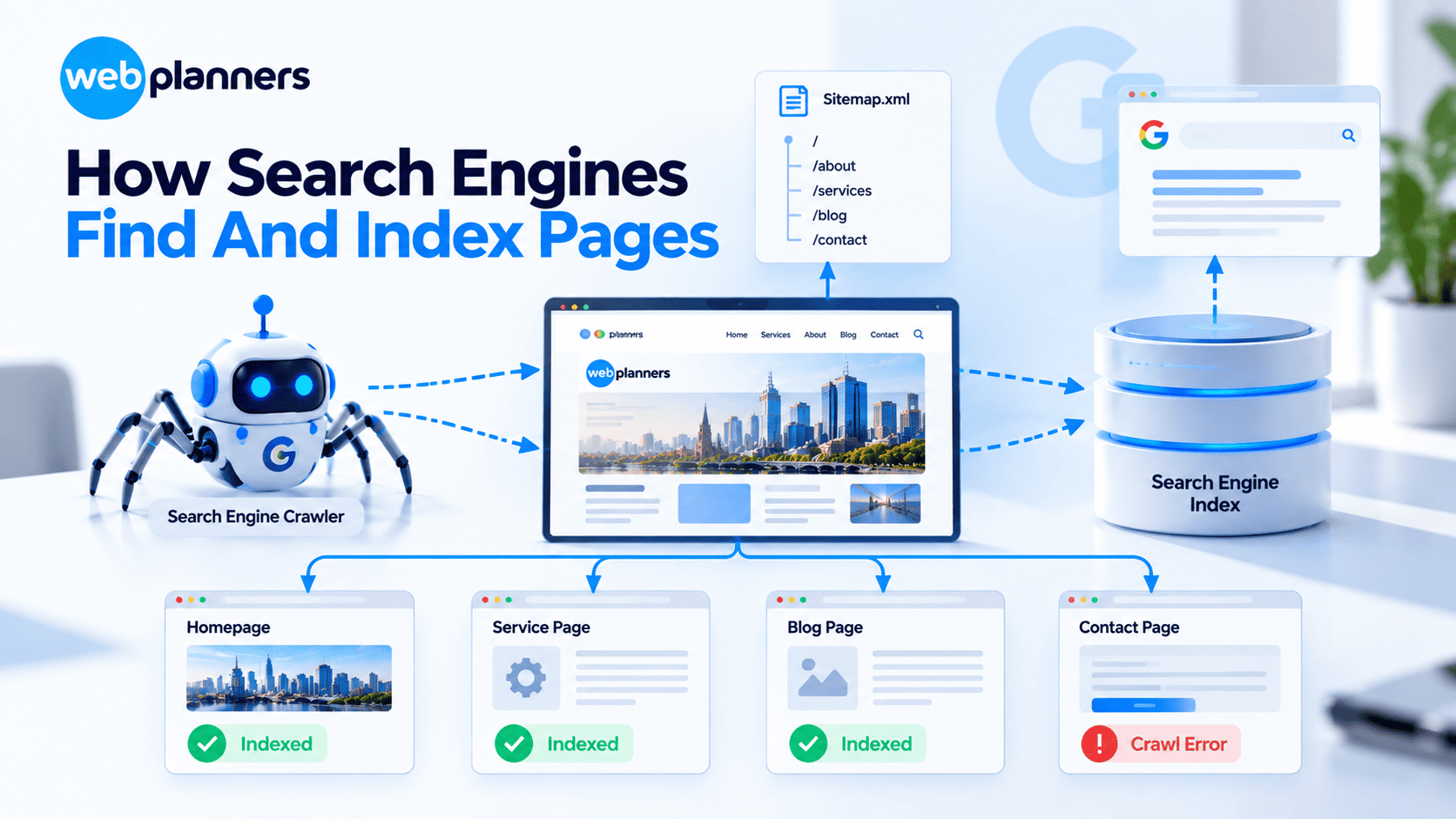
The stages of search engine crawling run in the same order for every page. Here’s what happens at each one, and where it tends to break.
| Stage | What Happens | What Can Go Wrong |
|---|---|---|
| 1. Discover | The search engine learns a URL exists via links, sitemaps or submissions | Orphan pages, missing sitemap |
| 2. Crawl | A bot requests the page from your server | robots.txt blocks, server errors, slow responses |
| 3. Render | The page’s HTML, CSS and JavaScript are processed | Content hidden behind JavaScript, blocked resources |
| 4. Index | The search engine analyses the page and decides whether to store it | noindex, duplicates, thin or low-value content |
| 5. Rank | Indexed pages are ordered for each search | Weak relevance, authority or experience signals |
Stage 1: Discovery
Search engines find new URLs mainly by following links from pages they already know, and by reading XML sitemaps. A page with no internal links and no sitemap entry may never be found.
Stage 2: Crawling
Googlebot requests the URL, but it checks robots.txt first. If the page is disallowed, it won’t be crawled. A slow server or one that returns errors also means Google crawls less.
Stage 3: Rendering
Google renders pages with a modern Chromium-based browser, so it can see content that loads through JavaScript. Rendering can be delayed, though, and if important resources are blocked, Google may see a broken page. When the fix means changing how your site delivers its content, that’s usually web development work.
Stage 4: Indexing
Google analyses the content, picks a canonical version among duplicates and decides whether the page is worth storing. Not every crawled page gets indexed. Google is selective about quality and uniqueness.
Stage 5: Ranking
Only indexed pages can rank. Ranking weighs relevance, content quality, links, page experience and many other signals.
Check What AI Bots See
Crawl Budget: Who Needs to Care?
Crawl budget is roughly how many URLs a search engine will crawl on your site in a given period. For most small and medium sites, it isn’t a concern. It matters for very large or frequently updated sites, like ecommerce stores with thousands of products and filter combinations.
To use your crawl budget well:
- Stop filter, sort and parameter URLs from being crawled or indexed.
- Fix redirect chains and broken internal links.
- Keep the server fast and stable.
- Keep sitemaps clean and current.
How AI Crawlers Differ From Googlebot
AI companies run their own crawlers, such as GPTBot (OpenAI), ClaudeBot (Anthropic) and PerplexityBot. Some gather training data, while others fetch pages live to answer a user’s question.
| Googlebot | Many AI Crawlers | |
|---|---|---|
| Renders JavaScript | Yes | Often not |
| Respects robots.txt | Yes | Major ones say they do |
| Purpose | Build the search index | Training data or live answers |
| Visibility reporting | Search Console | Server logs only |
Two practical takeaways. Keep key content in the initial HTML, and check your server logs to see which AI bots visit and what they request. Being crawlable is also the groundwork for getting cited in AI answers, which is what generative engine optimisation builds on.
Reading the Search Console Page Indexing Report

The Page indexing report in Google Search Console shows how many pages are indexed and why others aren’t. If you keep asking why the page is not indexed, this is where the answer sits. These are the statuses you’ll see most often:
- Crawled – currently not indexed: Google fetched the page but chose not to index it, usually a quality or duplication signal.
- Discovered – currently not indexed: Google knows the URL but hasn’t crawled it yet, often a crawl priority or site performance issue.
- Excluded by ‘noindex’ tag: check that it’s intentional.
- Duplicate without user-selected canonical: Google picked a different version as canonical.
- Blocked by robots.txt: crawling is disallowed.
How to Fix ‘Crawled – Currently Not Indexed’
- Check the value: Is the page unique and genuinely useful, or thin and similar to others?
- Improve or consolidate: Expand thin pages, or merge near-duplicates and 301-redirect the old URLs.
- Strengthen internal links: Link to the page from relevant, well-linked pages.
- Confirm the canonical: Make sure the page doesn’t canonicalise somewhere else.
- Request indexing: Use URL Inspection once the page is improved, then give it time.
Find Out Which Stage Is Failing
Conclusion
Every indexing problem has an address. Once you know which of the five stages is failing, the fix gets a lot less mysterious. A blocked page needs a robots.txt change, a thin page needs better content, and an orphan page needs links.
Start with the Page indexing report, work out where your pages are dropping out, and fix that stage before asking Google to look again. Keep an eye on AI crawlers too, since they don’t all behave like Googlebot. And if a page still won’t budge, we’re happy to take a look.
FAQs
How long does it take Google to index a new page?
It can take anywhere from a few hours to several weeks. Speed depends on your site’s authority, how well the page is linked internally and how often Google crawls your site. A new page linked from your homepage and listed in your sitemap is usually found fastest.
Does submitting a sitemap guarantee indexing?
No. A sitemap helps search engines discover your URLs, but it doesn’t force them to index anything. Google still decides whether each page is unique and useful enough to store. Pages that are thin, duplicated or low in value can be listed in a sitemap and still never get indexed.
Can a page blocked in robots.txt still appear in Google?
Yes. If other pages link to a blocked URL, Google may still index the address without its content. To keep a page out of search, use a noindex tag and leave crawling allowed, because Google can’t see the tag on a page it isn’t allowed to crawl.
What is crawl budget?
Crawl budget is roughly the number of URLs a search engine will crawl on your site in a given period. Most small and medium sites never need to worry about it. It matters for very large or frequently updated sites, such as ecommerce stores with thousands of products and filter combinations.
Why is my page not indexed by Google?
The most common causes are a noindex tag, a robots.txt block, duplicate or thin content, a canonical pointing elsewhere, or weak internal links. Open the Page indexing report in Search Console to see the exact status, then fix that specific stage before requesting indexing again through URL Inspection.
Do AI crawlers follow robots.txt?
Major AI crawlers such as GPTBot, ClaudeBot and PerplexityBot say they respect robots.txt, so you can allow or block each one separately. Compliance isn’t guaranteed for every bot, though. Check your server logs to see which AI bots actually visit and what they request.
Our Recent Blogs

Couldn't be happier with how things have gone since working with Webplanners. The team genuinely cares about getting results and has helped us stay ahead of the competition. Thanks for all the hard work, legends!
Webplanners has been a huge part of our digital growth. Managing multiple websites isn't easy, but they've made the whole process feel effortless. The results have exceeded our expectations.
The team has been great to work with and always keeps us in the loop. We've seen steady improvements over time and the whole process has been straightforward. Very happy with how things are going.