The post SEO Analytics Beyond Google Analytics: GA4, Search Console And AI Traffic appeared first on Webplanners.
]]>- Why no single tool gives you the full picture
- How to set up GA4 and Search Console so they answer real business questions
- Where AI Overviews and AI assistants show up in your data
- How to pull it all into one dashboard your team will actually open
At Webplanners, our analytics specialists build reporting setups for clients so every lead can be traced back to where it started, whether that was Google or an AI answer.
In this blog, we will understand how to build SEO reporting from GA4, Search Console and AI traffic data, and how to turn it into one dashboard that shows real ROI.
Effective SEO analytics combines Google Analytics 4 (GA4), Google Search Console and CRM data to connect search visibility with leads, conversions and revenue. AI referral tracking adds insight into visits from platforms such as ChatGPT and Perplexity, while citation monitoring helps measure brand visibility in AI-generated answers.
The SEO Analytics Stack
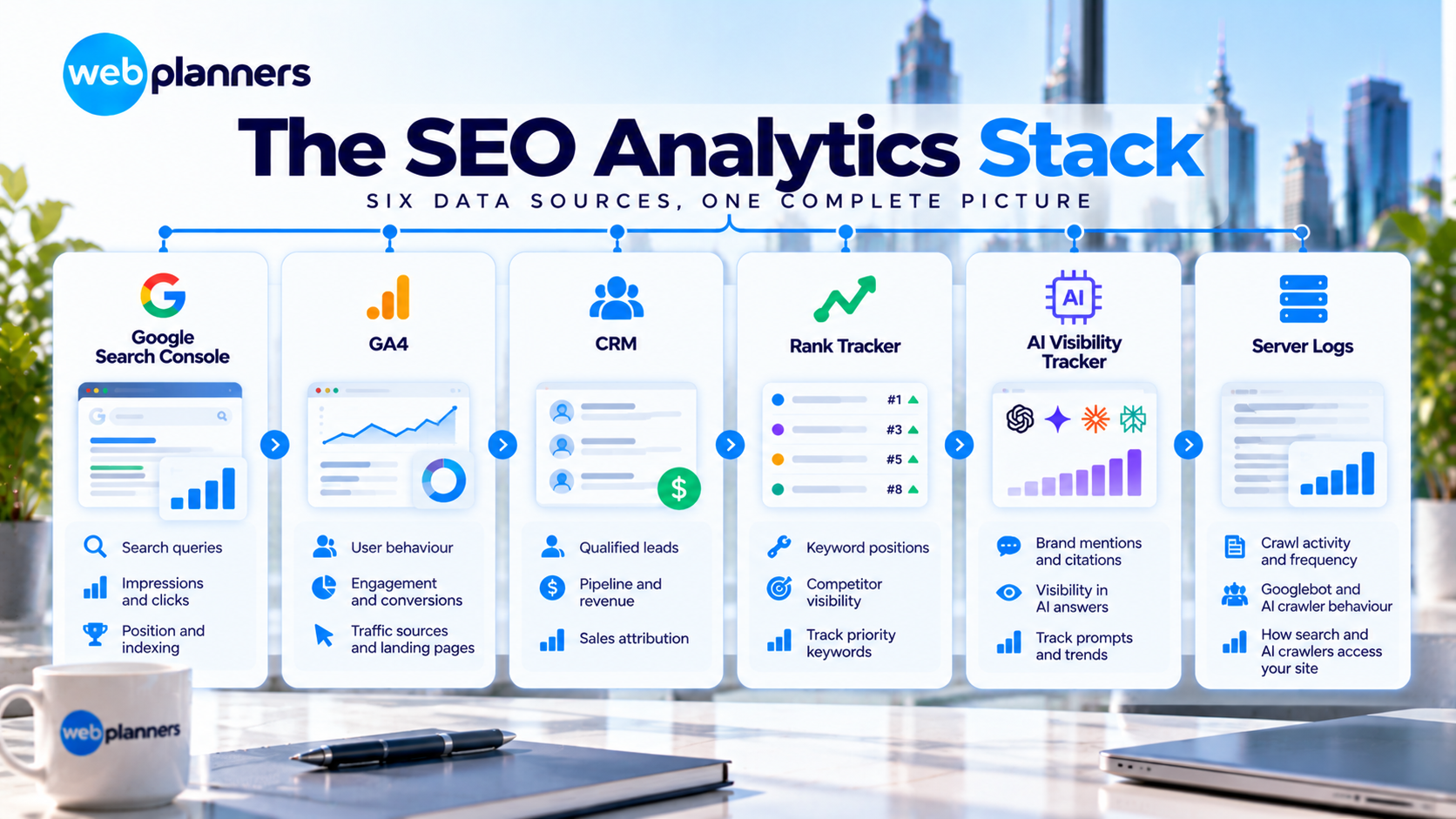
Each tool covers one part of the story, and each has a blind spot. Here’s what to use for what.
| Tool | Answers | Limitation |
|---|---|---|
| Google Search Console | What people searched, impressions, clicks, CTR, position, indexing | No conversion data, and only 16 months of history |
| GA4 | What visitors did after arriving, and which ones converted | No keyword data for organic |
| CRM | Which leads became revenue | Needs source data passed in from forms |
| Rank tracker | Daily positions for priority keywords, competitor visibility | Estimated, not actual clicks |
| AI visibility tracker | Mentions and citations in AI tools | Prompt-based sampling |
| Server logs | How Googlebot and AI crawlers really crawl the site | Needs technical set-up |
Setting Up GA4 For Organic Conversions
Getting GA4 for SEO right comes down to five steps, and most sites skip at least two of them. Our Google Analytics 4 consulting team can handle the setup if you’d rather not do it alone.
- Define key events: Mark form submissions, calls, bookings, purchases and trial sign-ups as key events.
- Track phone calls: Use click-to-call event tracking at minimum, or call-tracking software for full attribution.
- Use the landing page report: Add a filter for the Organic Search channel to see which pages bring in conversions.
- Link Search Console to GA4: This adds Search Console reports inside GA4.
- Pass source data to your CRM: Capture the original source in hidden form fields so you can follow organic leads all the way to revenue.
See Which Pages Drive Leads
Search Console Reports That Matter
Google Search Console analytics has a lot of reports, but these five do most of the work.
- Performance by page: clicks, impressions and CTR for every URL. Watch for pages with high impressions but low CTR.
- Performance by query: filter out brand terms with a regex to see non-brand growth.
- Compare date ranges: year-on-year comparisons remove seasonality.
- Page indexing: which priority pages aren’t indexed, and why.
- Core Web Vitals: groups of URLs failing on mobile.
One thing to know about AI Overviews. Search Console counts their impressions and clicks inside your normal Search results data, and it doesn’t give them a separate filter. So if CTR drops while rankings hold steady, an AI Overview may be taking the click. Compare the affected queries against your AI citation tracking before you assume the page has a problem.
For enterprise sites, Search Console’s bulk data export to BigQuery removes row limits and keeps history beyond 16 months.
Tracking AI Referral Traffic In GA4
When people click a link inside an AI assistant, the visit usually lands in GA4 as referral traffic. Some tools also add UTM tags, such as ChatGPT’s utm_source=chatgpt.com. That’s the starting point to track AI traffic in GA4.
Create a custom channel group called “AI Assistants”, placed above Referral, with a source condition that matches a regex like this:
.*(chatgpt|openai|perplexity|gemini\.google|copilot\.microsoft|claude\.ai).*
Then compare AI visitors with organic search visitors on engagement and conversion rate. Volumes are often small, but the visitors can convert well.
Keep in mind that clicks from Google AI Overviews arrive as ordinary Google organic traffic, so they won’t appear in this channel group. And not every AI interaction sends a click at all. Pair this report with citation tracking, which is the main goal of AEO and GEO work, to get the full picture.
Building A Looker Studio SEO Dashboard
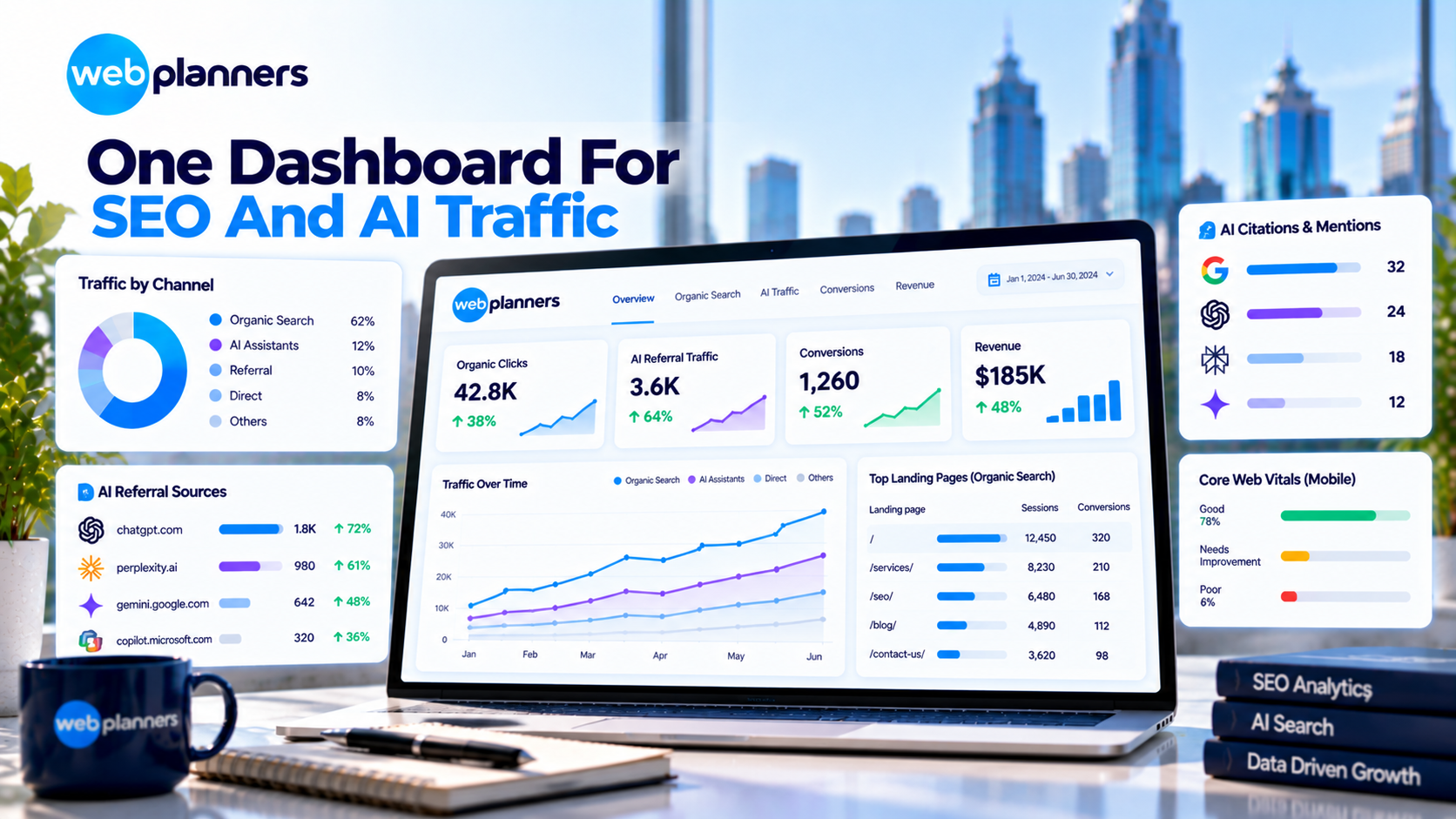
A single dashboard keeps everyone looking at the same numbers. If you want one built for you, our Google Analytics custom dashboard service covers exactly this. Here’s a practical layout:
| Section | Data source | Metrics |
|---|---|---|
| Headline | GA4 + CRM | Organic leads, revenue or pipeline, year on year |
| Search visibility | Search Console | Non-brand clicks, impressions, CTR, average position |
| Top pages | GA4 + Search Console | Sessions, key events and CTR by landing page |
| AI visibility | GA4 + AI tracker | AI referral sessions, conversions, citation rate, AI Overview citations |
| Technical health | Search Console | Indexed pages, Core Web Vitals status |
Turn Your Data Into Revenue
Enterprise SEO Analytics
Larger sites need more depth than a standard setup gives them.
- Log file analysis to see which sections Googlebot and AI crawlers spend time on.
- Segmented reporting by site section, market, product line or location.
- BigQuery to join Search Console, GA4 and CRM data for custom analysis.
- Annotations for releases, migrations and algorithm updates, so trend changes are explainable.
Conclusion
No single report shows whether SEO is working. Search Console tells you what people searched, GA4 shows what they did next, and your CRM shows which of them turned into revenue. It’s only when those three sit together that SEO analytics starts to mean something.
AI has added another layer. AI Overviews can lower your clicks without touching your rankings, and ChatGPT or Perplexity can send visitors that arrive under a different source. Set up the AI Assistants channel group now, add AI citations to your dashboard, and review the whole thing monthly. If you’d like help connecting it all, Webplanners’ Google Analytics consulting team can set up the tracking, and our AI SEO specialists can measure your visibility in AI answers.
FAQs
Why doesn’t GA4 show organic keywords?
Search engines don’t pass keyword data to analytics tools, so GA4 can’t report which queries brought each visitor. Use Google Search Console for query data instead. Then join the two at the landing page level to see which keywords support which pages and conversions.
How do I track AI traffic in GA4?
Open the referral report and look for sources like chatgpt.com and perplexity.ai. For a cleaner view, create a custom channel group called “AI Assistants” using a source regex that matches the major AI tools. Then compare its engagement and conversion rate with organic search.
Do Google AI Overviews show up in Search Console or GA4?
Yes, but not as their own report. Search Console includes AI Overview impressions and clicks in your normal Search performance data. In GA4, those clicks arrive as standard Google organic traffic. To measure AI Overview visibility, track citations separately using a fixed set of prompts.
What is the difference between GA4 and Google Search Console?
Search Console shows what happens before the click, including queries, impressions, CTR, position and indexing. GA4 shows what happens after the click, including engagement and conversions. You need both to link a keyword or page to a lead.
The post SEO Analytics Beyond Google Analytics: GA4, Search Console And AI Traffic appeared first on Webplanners.
]]>The post SEO Metrics That Actually Matter: KPIs That Prove Revenue appeared first on Webplanners.
]]>- Which numbers deserve the headline, and which are only diagnostics
- Which KPIs connect to leads, sales and revenue
- Where AI visibility fits into the picture
- How to present all of it to the people who sign off the budget
At Webplanners, we build SEO reports around leads, revenue and AI visibility instead of keyword counts, and it changes how leadership talks about SEO.
In this blog, we will understand which SEO metrics are worth tracking, how to set SEO KPIs that tie to revenue, and how to report them so leadership trusts the numbers.
The most valuable SEO metrics show how organic search contributes to leads, sales and revenue. Rankings and traffic help measure visibility, but they should be assessed alongside business outcomes.
Key SEO KPIs include:
- Organic leads and revenue: Measure enquiries, sales and pipeline value from organic search.
- Cost per acquisition: Compare SEO investment with conversions generated.
- Non-brand organic growth: Track traffic from people searching for services rather than your business name.
- AI search visibility: Monitor brand mentions, citations and referral traffic from AI platforms.
- Technical SEO health: Track indexing, Core Web Vitals and crawl errors.
The right metrics depend on your business goals, with revenue, qualified leads and acquisition costs taking priority in leadership reports.
Vanity Metrics vs Value Metrics
A vanity metric isn’t wrong, it’s just easy to inflate and hard to connect to money. Here’s how the common ones compare with what to report instead.
| Vanity metric | Why it misleads | Value metric instead |
|---|---|---|
| Total keywords ranked | Includes irrelevant, low-intent terms | Rankings for priority commercial keywords |
| Total organic sessions | Counts traffic that never converts | Organic leads, sales and revenue |
| Domain Authority / Rating | A third-party estimate, not a Google metric | Links from relevant, authoritative sites |
| Bounce rate | Ambiguous, and GA4 uses engagement instead | Engagement and conversion rate by landing page |
| Pages indexed | More isn’t better | Indexed share of pages you want ranked |
Vanity metrics still have a place as diagnostics. They just shouldn’t be the headline.
Stop Tracking Metrics That Doesn’t Matter
Revenue KPIs: The Numbers Leadership Cares About
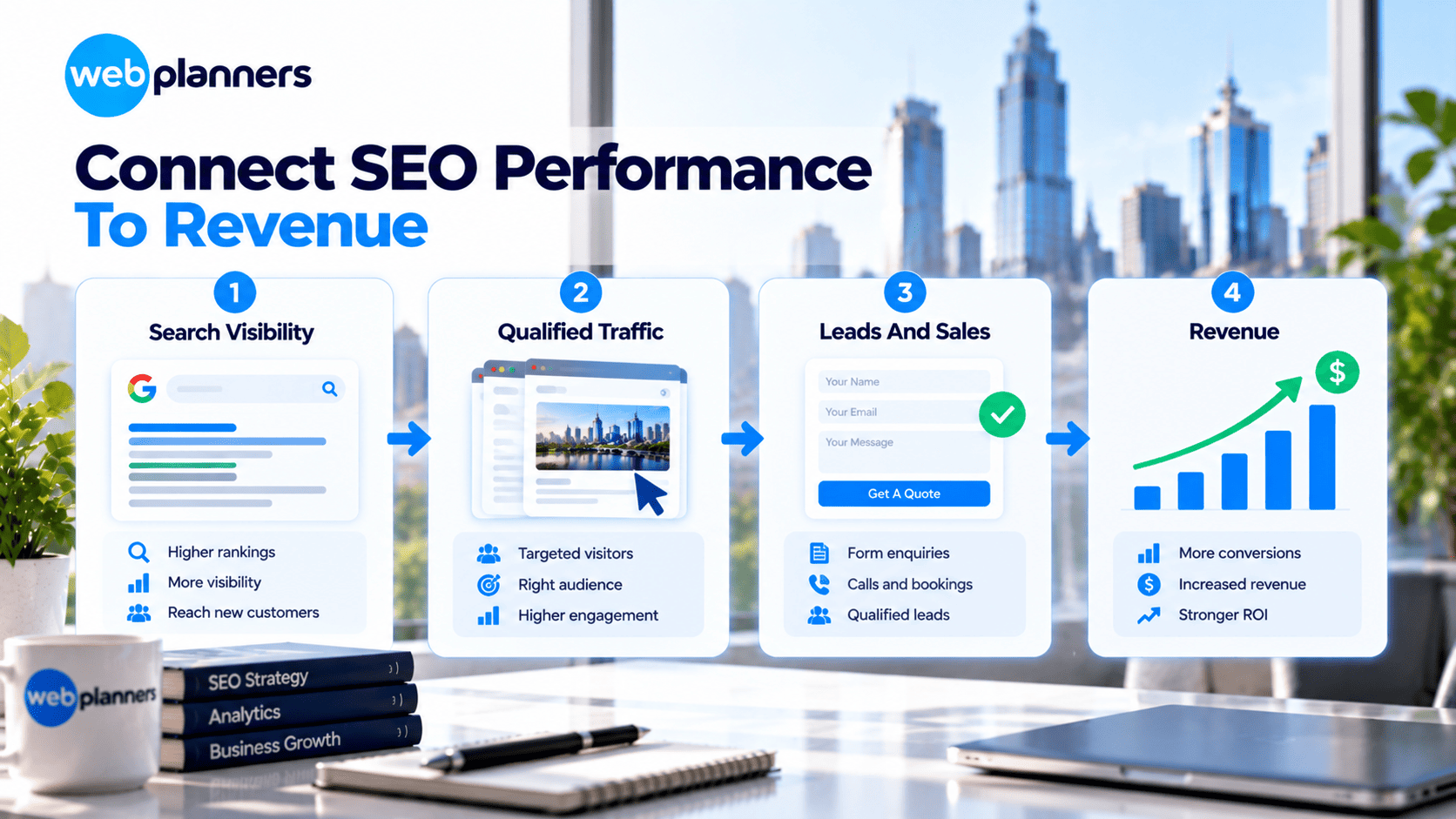
These four sit closest to the money, so they belong at the top of every report.
Organic Leads Or Conversions
Count form fills, calls, bookings, trials or demo requests that come from organic search. Track each one as a key event in GA4. If you need help setting that up properly, our Google Analytics consulting team can sort the tracking first.
Organic Revenue And Pipeline
For online stores, track organic revenue and average order value, which is the core measure of ecommerce SEO success. For lead-gen businesses, pull pipeline value and closed revenue from organic leads through your CRM.
Cost Per Organic Acquisition
Divide your total SEO investment by the number of organic conversions. Put it next to your paid channels and you’ll show how SEO becomes more efficient over time.
Non-Brand Organic Growth
Brand searches mostly come from people who already know you. Growth in non-brand clicks is the sign that SEO is reaching new customers.
Visibility KPIs: Search And AI
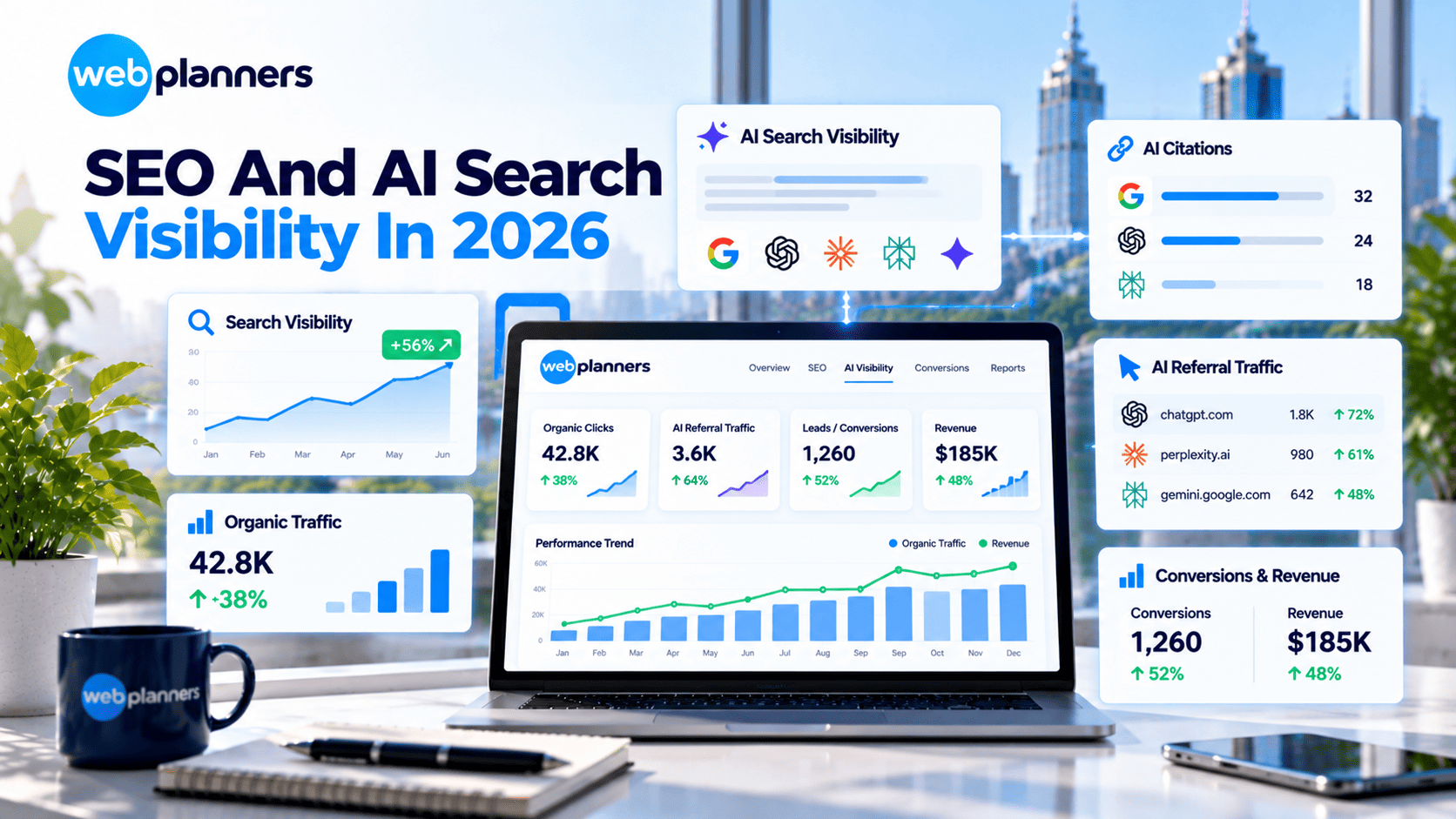
Visibility metrics show whether you’re winning the market, including the parts of it that now happen inside AI answers.
Share Of Voice
This is your estimated visibility across a set of priority keywords, compared with competitors. It shows whether you’re gaining ground or just moving around.
AI Overview And LLM Citations
Track how often your brand or pages are cited in Google AI Overviews and AI Mode, ChatGPT, Perplexity and Gemini, using a fixed set of prompts. This is the fastest-growing visibility metric in 2026, and it’s the core goal of AEO and GEO work.
AI Referral Traffic
These are visits from AI assistants such as chatgpt.com and perplexity.ai, which you can track in GA4. Volumes are often small, but conversion rates can be strong.
Click-Through Rate On Priority Pages
Pull this from Search Console. If CTR falls while rankings hold steady, AI answers or SERP features may be absorbing your clicks.
Technical Health KPIs
Technical numbers don’t pay the bills, but they warn you early when something is about to.
- Share of priority URLs indexed
- Core Web Vitals pass rate on mobile
- Crawl errors and broken internal links
- Time to index new pages
These are leading indicators. Send the detail to your web team and give leadership a short summary.
Track Quality Leads Along With Rankings
Enterprise SEO Metrics And Reporting Cadence
Different people need different numbers, so match the report to the reader.
| Audience | Frequency | What to show |
|---|---|---|
| Executives | Quarterly | Organic revenue or pipeline, cost per acquisition, share of voice, AI visibility |
| Marketing leads | Monthly | Leads by landing page, non-brand growth, priority rankings, content performance |
| SEO and web teams | Weekly | Indexing, technical errors, Core Web Vitals, ranking movements |
For large sites, split every metric by site section, product line, market or location. Problems and wins are far easier to find that way, and it’s especially useful for multi-location businesses working on local SEO.
How To Report SEO To Leadership
A good report is short, honest and built around the outcome. Here’s the order that works best.
- Lead with outcomes: Start with leads, revenue or pipeline, then explain what drove them.
- Show trends: Compare year on year to remove seasonality.
- Connect actions to results: For example: “We improved 12 service pages, and enquiries from those pages rose X%.”
- Be honest about attribution: SEO often assists conversions that get credited elsewhere, so show assisted conversions too. Google Analytics attribution helps here.
- End with next steps: Say what you’ll do next quarter and the impact you expect.
Conclusion
Rankings and traffic are easy to report, which is exactly why they get over-reported. The numbers that earn trust are the ones tied to leads, revenue and cost, and those are the ones leadership remembers.
The other shift is AI. Google AI Overviews, ChatGPT and Perplexity now shape what people see before they ever reach your site, so citations and AI referral traffic belong in the report next to rankings. Start small and pick your four or five revenue and visibility KPIs, set a baseline, and review them every quarter. If you’d like a team that tracks AI SEO performance alongside traditional results, Webplanners can set it up with you.
FAQs
What Is the Most Important SEO Metric?
The most important SEO metric is the one that most closely connects to your business revenue and can be measured reliably. For most businesses, this includes organic leads, sales, and pipeline value. While keyword rankings and organic traffic are also important, their real value lies in how effectively they contribute to business growth.
How Do I Measure SEO Success?
To measure SEO success, start by tracking organic leads, revenue, and cost per organic acquisition. You should also monitor non-branded organic traffic growth, share of voice, and AI search visibility. Compare these metrics against year-over-year performance to account for seasonal fluctuations and identify meaningful improvements in your SEO strategy.
What Are the Best SEO KPIs to Report to Leadership?
The best SEO KPIs for leadership focus on business outcomes and measurable growth. These include organic revenue, pipeline value, customer acquisition cost, share of voice, and AI search visibility. Technical metrics, such as crawl errors and Core Web Vitals, should be included in detailed SEO reports for your web development and technical SEO teams.
How Do I Measure AI Search Visibility?
To measure AI search visibility, create a fixed set of relevant prompts and test them monthly across platforms such as Google AI Overviews, ChatGPT, Perplexity, and Gemini. Track how often your brand is mentioned or cited in AI-generated responses. Additionally, monitor referral traffic from these platforms in Google Analytics 4 (GA4) to understand how AI search contributes to website traffic and potential conversions.
How Long Does It Take for SEO KPIs to Improve?
SEO improvements can take anywhere from a few weeks to several months, depending on your website’s current condition, competition, and the scope of optimization. Early indicators, such as indexing improvements and keyword rankings, may change within weeks. However, meaningful growth in organic leads and revenue typically takes three to twelve months. Consistent optimization and regular performance monitoring are essential for achieving sustainable SEO results.
The post SEO Metrics That Actually Matter: KPIs That Prove Revenue appeared first on Webplanners.
]]>The post Robots Meta Tag vs X-Robots-Tag: A Practical Guide To URL-Level Directive appeared first on Webplanners.
]]>- Some pages should never show up in search, like thank-you pages, staging copies and internal documents.
- Some files, like PDFs, can’t hold a tag at all, so they need a different method.
- A few crawlers, including the ones behind AI answers, follow their own rules.
At Webplanners, our team of SEO consultants checks robots directives in every technical review. Stray tags are one of the most common things we find.
In this blog, we will understand how the robots meta tag and x-robots-tag work, how they differ from robots.txt, and how to control Google, AI Overviews and AI crawlers.
Robots.txt vs Robots Meta Tag vs X-Robots-Tag
| robots.txt | Robots meta tag | X-Robots-Tag | |
|---|---|---|---|
| Where it lives | /robots.txt at the site root | In the page’s HTML head | In the HTTP response header |
| Controls | Crawling | Indexing and snippets | Indexing and snippets |
| Works on | Any URL path | HTML pages only | Any file type (PDFs, images, docs) |
| Scope | Site-wide patterns | One page | One URL, or patterns via server rules |
| Best for | Stopping crawl of whole sections | Noindexing individual pages | Noindexing non-HTML files at scale |
The key difference is simple. robots.txt controls crawling, while the meta robots tag and X-Robots-Tag control indexing. Most robots mistakes come from mixing those two jobs up.
How To Write Each One
Both do the same job in practice, but they’re added in different places, so the syntax looks a little different.
Robots Meta Tag
It goes in the head of the page:
<meta name=”robots” content=”noindex, follow”>
To speak to one crawler only, replace “robots” with its name, for example googlebot.
X-Robots-Tag
This one is sent as an HTTP header, so it’s usually set on the server:
X-Robots-Tag: noindex
Here’s how you’d cover every PDF on Apache using .htaccess:
<FilesMatch “\.pdf$”>
Header set X-Robots-Tag “noindex”
</FilesMatch>
Launch Without Hidden Indexing Mistakes
Every Directive Explained
| Directive | What it does |
|---|---|
| noindex | Keeps the page out of search results |
| nofollow | Asks search engines not to follow links on the page |
| none | Same as noindex, nofollow |
| nosnippet | No text snippet or video preview in results (also limits use in AI Overviews) |
| max-snippet:[n] | Limits snippet length to n characters |
| max-image-preview:[none/standard/large] | Controls image preview size |
| max-video-preview:[n] | Limits video preview length in seconds |
| noimageindex | Stops images on the page being indexed |
| notranslate | No translation offered in results |
| unavailable_after:[date] | Removes the page from results after a set date |
| indexifembedded | Allows indexing of content embedded via iframe despite noindex |
If you only want to hide part of a page from snippets, use the data-nosnippet HTML attribute.
Noindex vs Disallow: The Mistakes We See Most
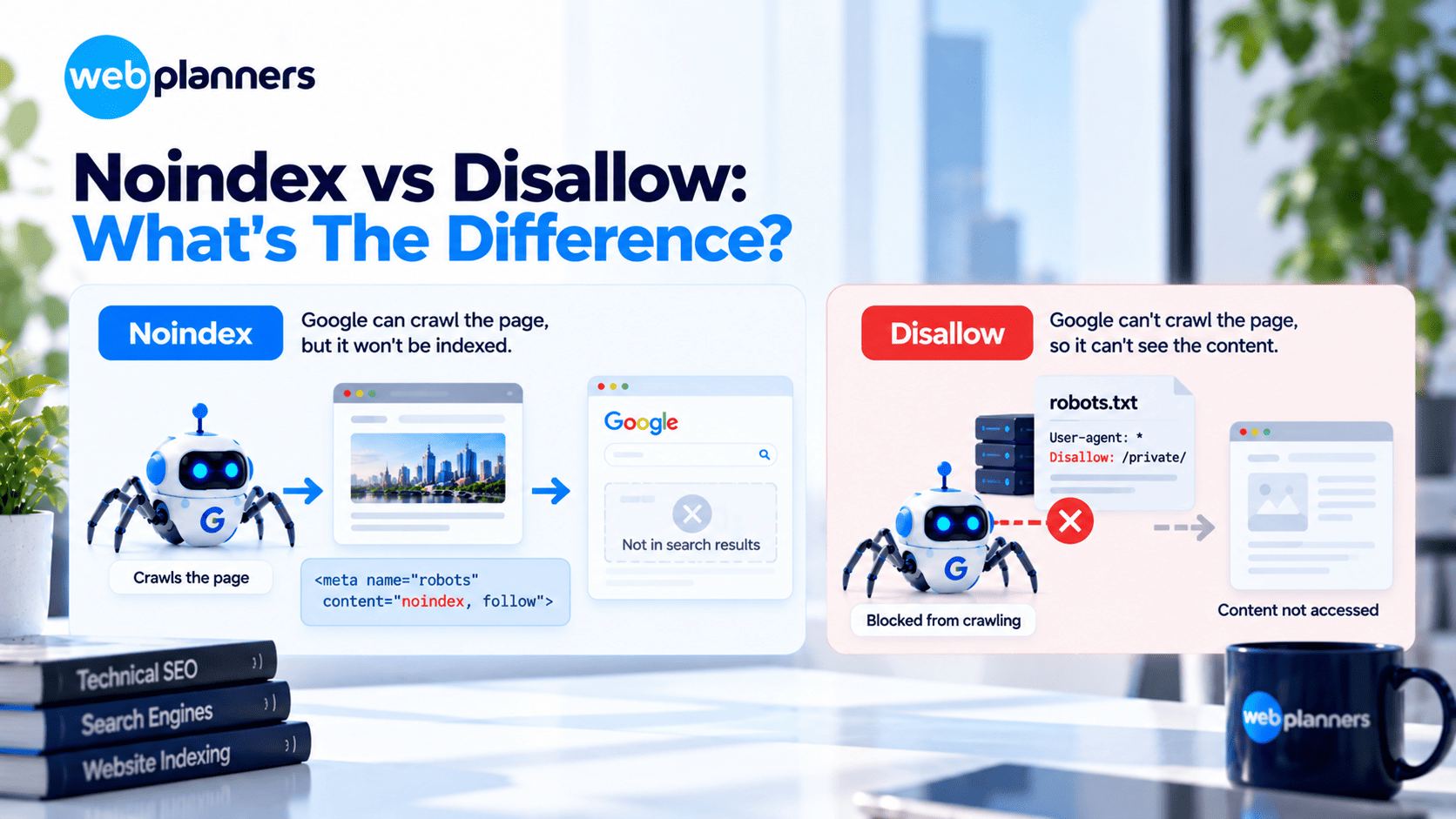
Getting noindex vs disallow wrong is the most common slip, though it’s not the only one.
- Disallowing a page you want removed: If robots.txt blocks a URL, Google can’t read the noindex tag on it. The URL can still appear in results if other sites link to it. To remove a page, allow crawling and add noindex.
- Leaving noindex on after launch: Staging sites often go live with a site-wide noindex still in place. Check for it on every launch.
- Blocking CSS and JavaScript: Google needs both to render pages properly.
- Noindexing paginated or filtered pages carelessly: You can cut off the crawl path to products. Use canonicals and selective rules instead. Online stores get hit hardest here, which is why it’s a big part of our ecommerce SEO work.
- Sending conflicting signals: A noindexed page that’s still in the sitemap, or one canonicalised to a noindexed page, gives Google mixed messages.
Keep Your Best Pages In Google
How To Noindex PDFs And Other Files
PDFs, Word docs and images can’t hold a meta tag. So if you’re wondering how to noindex a pdf, the X-Robots-Tag header is the answer.
It’s a common fix for gated whitepapers, price lists and internal documents that shouldn’t turn up in search. One warning, though. Noindex hides a file from search results, but it doesn’t make it private. Anything truly sensitive needs a login, and a web security review can confirm your files are properly protected.
Controlling AI Crawlers
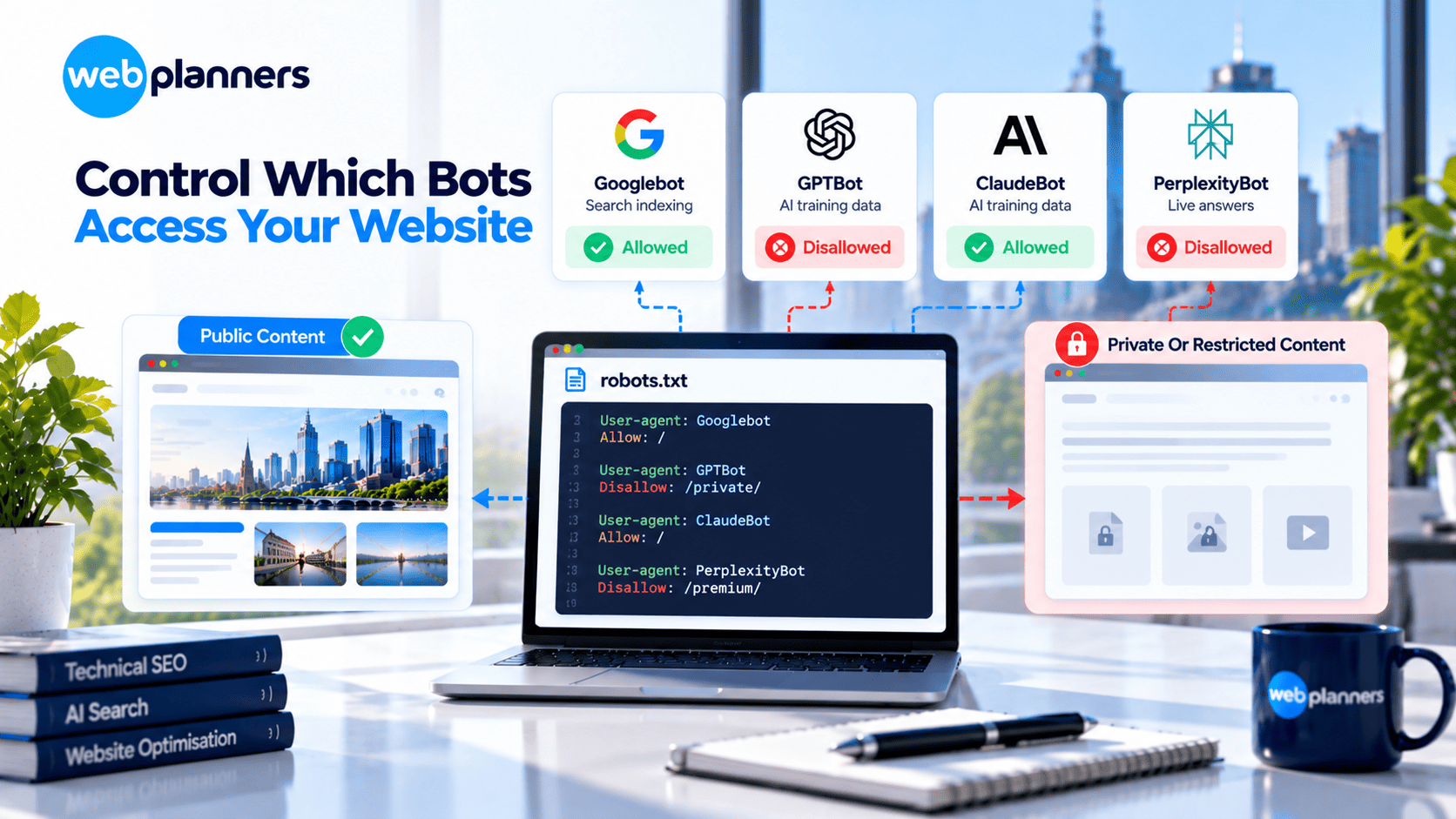
Most AI crawlers are managed in robots.txt by user agent:
User-agent: GPTBot
Disallow: /private/
User-agent: Google-Extended
Disallow: /
- GPTBot (OpenAI), ClaudeBot (Anthropic) and PerplexityBot can each be allowed or blocked on their own.
- Google-Extended controls whether your content is used for Gemini models. It doesn’t affect Google Search rankings, and it doesn’t remove you from AI Overviews.
- Google AI Overviews draw on pages that Google Search can index and show. To limit how your content appears there, use nosnippet or max-snippet.
- Blocking AI crawlers may reduce your visibility in AI answers.
So decide section by section. Let public marketing content in and restrict anything premium or private. If you want your pages cited in AI Overviews and other AI answers, our AEO and GEO services build on exactly this kind of access.
Get Found In AI Answers
How To Test Your Directives
- URL Inspection in Search Console shows whether Google sees a noindex and whether the page is blocked.
- The robots.txt report in Search Console shows fetch status and errors.
- Browser dev tools (Network tab) reveal any X-Robots-Tag headers.
- A site crawler such as Screaming Frog lists every directive across your site.
FAQs
Should I use noindex or disallow?
Use noindex when you want a page kept out of search results, and use disallow when you want to stop Google crawling low-value sections. Don’t combine them on a page you want removed. If robots.txt blocks the URL, Google can’t read the noindex tag, so the page may stay in results through links from other sites.
What is the difference between a robots meta tag and an X-Robots-Tag?
A robots meta tag sits in the HTML head of a single page. An X-Robots-Tag is sent in the HTTP response header, so it also works on PDFs, images and other files that can’t hold a tag. Both control indexing and snippets, and Google treats them the same way. Pick the one that fits the file type.
How do I noindex a PDF?
Add an X-Robots-Tag: noindex header to the PDF’s server response. On Apache, a FilesMatch rule in .htaccess covers every PDF at once. Don’t block the PDF in robots.txt as well, because Google needs to crawl the file to see the header.
Does blocking Google-Extended remove my site from Google AI Overviews?
No. Google-Extended controls whether your content is used for Gemini models, and it doesn’t affect Google Search rankings or AI Overviews. AI Overviews draw on pages that Google Search can index and show. To limit how your text appears there, use nosnippet or max-snippet on the page.
Can I block AI crawlers like GPTBot and ClaudeBot?
Yes. Both follow robots.txt, so you can allow or block each one by user agent. Blocking protects your content from AI use, but it can also keep your brand out of AI answers. Many businesses allow public pages and block only premium or private sections.
The post Robots Meta Tag vs X-Robots-Tag: A Practical Guide To URL-Level Directive appeared first on Webplanners.
]]>The post How Search Engines Crawl and Index Your Website: Every Stage Explained appeared first on Webplanners.
]]>Key areas to understand include:
- Why Google may crawl a page without indexing it.
- How crawl budget affects websites with large numbers of URLs.
- How AI crawlers such as GPTBot and ClaudeBot access website content.
At Webplanners, a Melbourne SEO agency, we trace indexing problems like these for clients every week, so the fixes below are ones we use ourselves.
In this blog, we will understand how search engines move a page from discovery to ranking, where things usually go wrong, and what to do when a page won’t get indexed.
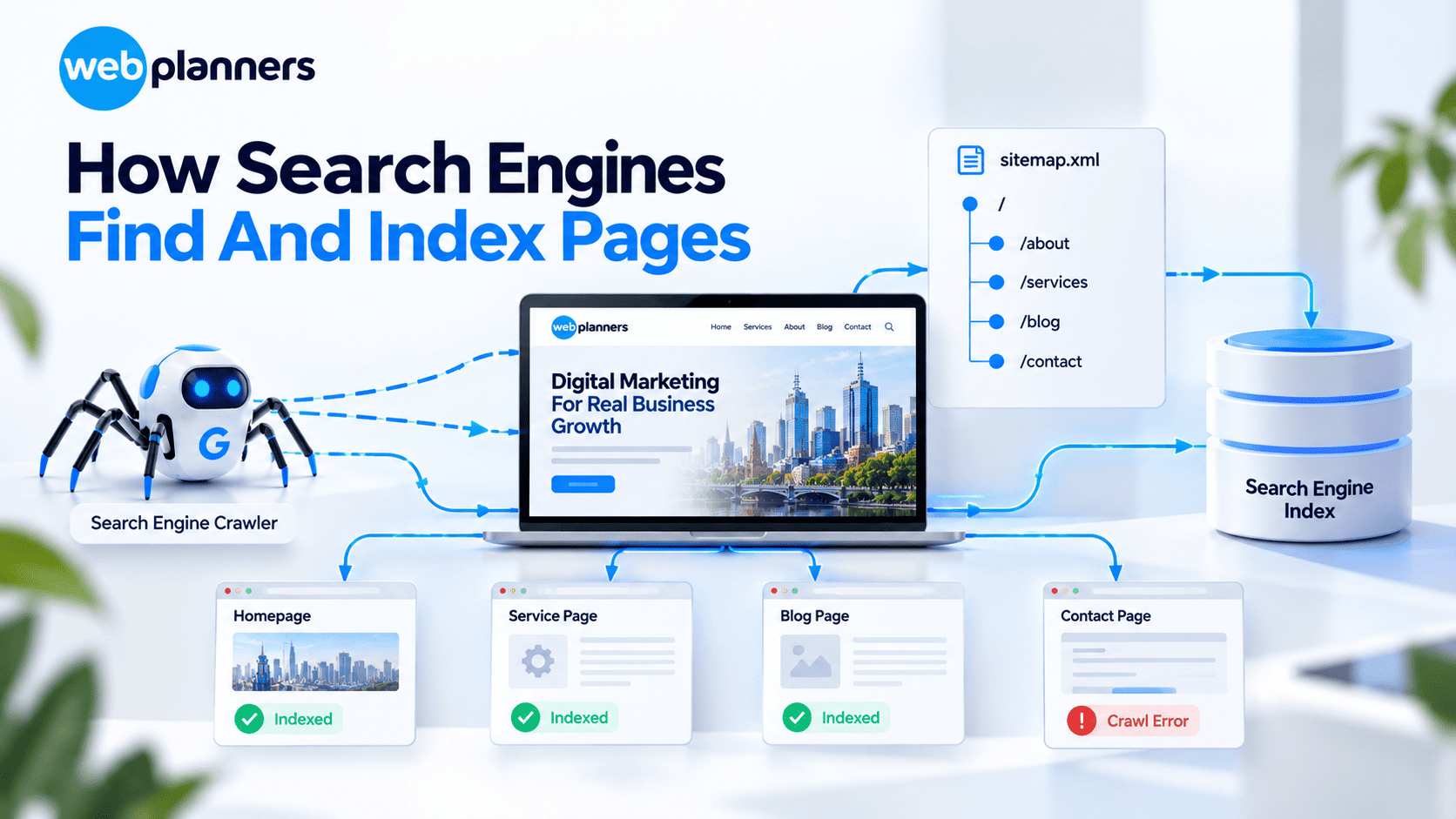
Search engines move every page through five stages: discover, crawl, render, index and rank. Crawling and indexing problems usually hide in stages one to four, and only indexed pages can rank.
- Discover: Bots find URLs through links and sitemaps, so orphan pages often go unseen.
- Crawl: The bot requests the page, unless robots.txt blocks it or your server is slow.
- Render: Google processes HTML, CSS and JavaScript, so hidden or blocked content can be missed.
- Index: Google decides whether the page is unique and useful enough to store.
- Rank: Relevance, quality, links and page experience order the indexed pages.
- AI crawlers: Many skip JavaScript, so key content belongs in the initial HTML.
The 5 Stages of Search Engine Crawling and Indexing
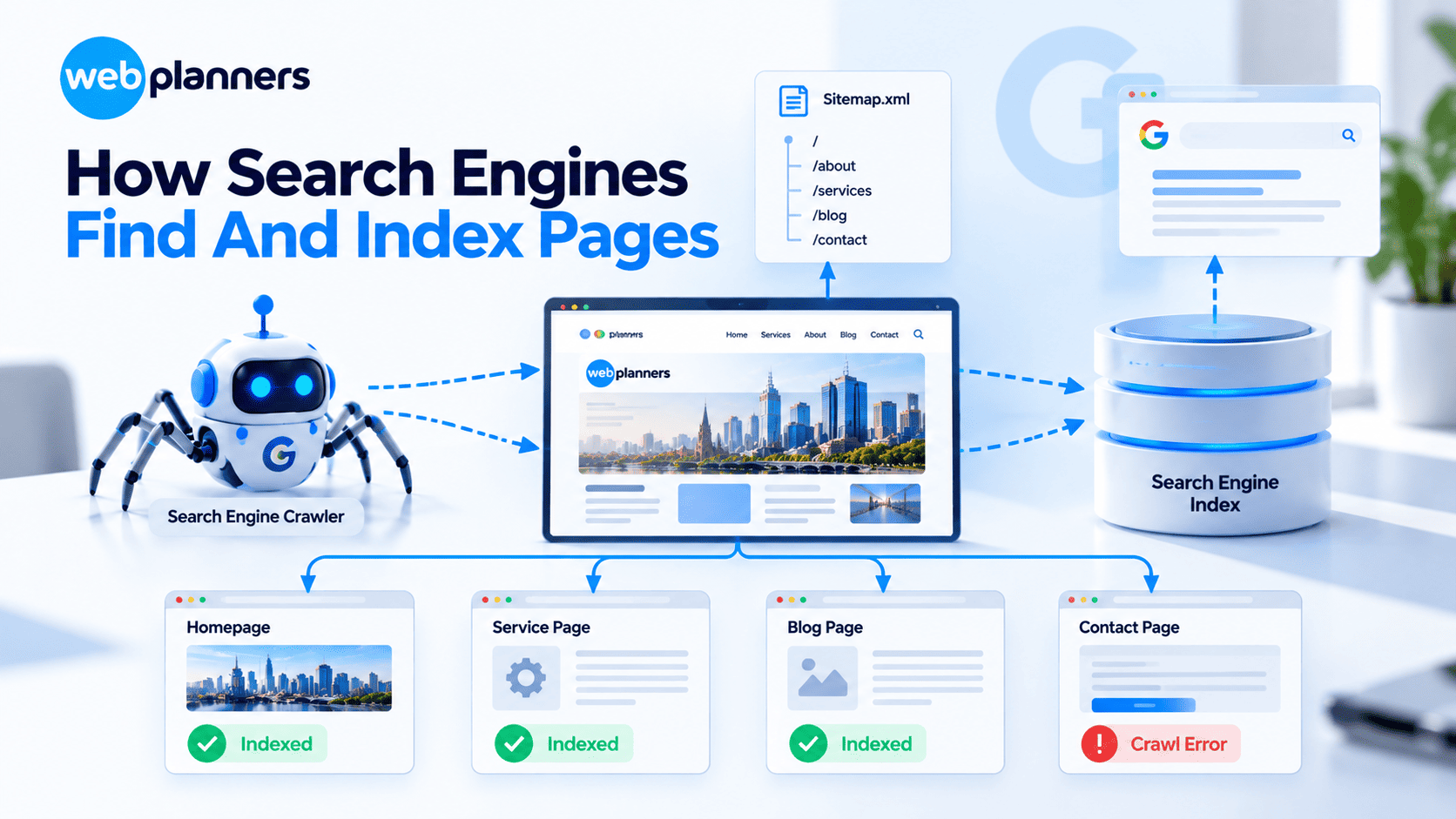
The stages of search engine crawling run in the same order for every page. Here’s what happens at each one, and where it tends to break.
| Stage | What Happens | What Can Go Wrong |
|---|---|---|
| 1. Discover | The search engine learns a URL exists via links, sitemaps or submissions | Orphan pages, missing sitemap |
| 2. Crawl | A bot requests the page from your server | robots.txt blocks, server errors, slow responses |
| 3. Render | The page’s HTML, CSS and JavaScript are processed | Content hidden behind JavaScript, blocked resources |
| 4. Index | The search engine analyses the page and decides whether to store it | noindex, duplicates, thin or low-value content |
| 5. Rank | Indexed pages are ordered for each search | Weak relevance, authority or experience signals |
Stage 1: Discovery
Search engines find new URLs mainly by following links from pages they already know, and by reading XML sitemaps. A page with no internal links and no sitemap entry may never be found.
Stage 2: Crawling
Googlebot requests the URL, but it checks robots.txt first. If the page is disallowed, it won’t be crawled. A slow server or one that returns errors also means Google crawls less.
Stage 3: Rendering
Google renders pages with a modern Chromium-based browser, so it can see content that loads through JavaScript. Rendering can be delayed, though, and if important resources are blocked, Google may see a broken page. When the fix means changing how your site delivers its content, that’s usually web development work.
Stage 4: Indexing
Google analyses the content, picks a canonical version among duplicates and decides whether the page is worth storing. Not every crawled page gets indexed. Google is selective about quality and uniqueness.
Stage 5: Ranking
Only indexed pages can rank. Ranking weighs relevance, content quality, links, page experience and many other signals.
Check What AI Bots See
Crawl Budget: Who Needs to Care?
Crawl budget is roughly how many URLs a search engine will crawl on your site in a given period. For most small and medium sites, it isn’t a concern. It matters for very large or frequently updated sites, like ecommerce stores with thousands of products and filter combinations.
To use your crawl budget well:
- Stop filter, sort and parameter URLs from being crawled or indexed.
- Fix redirect chains and broken internal links.
- Keep the server fast and stable.
- Keep sitemaps clean and current.
How AI Crawlers Differ From Googlebot
AI companies run their own crawlers, such as GPTBot (OpenAI), ClaudeBot (Anthropic) and PerplexityBot. Some gather training data, while others fetch pages live to answer a user’s question.
| Googlebot | Many AI Crawlers | |
|---|---|---|
| Renders JavaScript | Yes | Often not |
| Respects robots.txt | Yes | Major ones say they do |
| Purpose | Build the search index | Training data or live answers |
| Visibility reporting | Search Console | Server logs only |
Two practical takeaways. Keep key content in the initial HTML, and check your server logs to see which AI bots visit and what they request. Being crawlable is also the groundwork for getting cited in AI answers, which is what generative engine optimisation builds on.
Reading the Search Console Page Indexing Report
The Page indexing report in Google Search Console shows how many pages are indexed and why others aren’t. If you keep asking why the page is not indexed, this is where the answer sits. These are the statuses you’ll see most often:
- Crawled – currently not indexed: Google fetched the page but chose not to index it, usually a quality or duplication signal.
- Discovered – currently not indexed: Google knows the URL but hasn’t crawled it yet, often a crawl priority or site performance issue.
- Excluded by ‘noindex’ tag: check that it’s intentional.
- Duplicate without user-selected canonical: Google picked a different version as canonical.
- Blocked by robots.txt: crawling is disallowed.
How to Fix ‘Crawled – Currently Not Indexed’
- Check the value: Is the page unique and genuinely useful, or thin and similar to others?
- Improve or consolidate: Expand thin pages, or merge near-duplicates and 301-redirect the old URLs.
- Strengthen internal links: Link to the page from relevant, well-linked pages.
- Confirm the canonical: Make sure the page doesn’t canonicalise somewhere else.
- Request indexing: Use URL Inspection once the page is improved, then give it time.
Find Out Which Stage Is Failing
Conclusion
Every indexing problem has an address. Once you know which of the five stages is failing, the fix gets a lot less mysterious. A blocked page needs a robots.txt change, a thin page needs better content, and an orphan page needs links.
Start with the Page indexing report, work out where your pages are dropping out, and fix that stage before asking Google to look again. Keep an eye on AI crawlers too, since they don’t all behave like Googlebot. And if a page still won’t budge, we’re happy to take a look.
FAQs
How long does it take Google to index a new page?
It can take anywhere from a few hours to several weeks. Speed depends on your site’s authority, how well the page is linked internally and how often Google crawls your site. A new page linked from your homepage and listed in your sitemap is usually found fastest.
Does submitting a sitemap guarantee indexing?
No. A sitemap helps search engines discover your URLs, but it doesn’t force them to index anything. Google still decides whether each page is unique and useful enough to store. Pages that are thin, duplicated or low in value can be listed in a sitemap and still never get indexed.
Can a page blocked in robots.txt still appear in Google?
Yes. If other pages link to a blocked URL, Google may still index the address without its content. To keep a page out of search, use a noindex tag and leave crawling allowed, because Google can’t see the tag on a page it isn’t allowed to crawl.
What is crawl budget?
Crawl budget is roughly the number of URLs a search engine will crawl on your site in a given period. Most small and medium sites never need to worry about it. It matters for very large or frequently updated sites, such as ecommerce stores with thousands of products and filter combinations.
Why is my page not indexed by Google?
The most common causes are a noindex tag, a robots.txt block, duplicate or thin content, a canonical pointing elsewhere, or weak internal links. Open the Page indexing report in Search Console to see the exact status, then fix that specific stage before requesting indexing again through URL Inspection.
Do AI crawlers follow robots.txt?
Major AI crawlers such as GPTBot, ClaudeBot and PerplexityBot say they respect robots.txt, so you can allow or block each one separately. Compliance isn’t guaranteed for every bot, though. Check your server logs to see which AI bots actually visit and what they request.
The post How Search Engines Crawl and Index Your Website: Every Stage Explained appeared first on Webplanners.
]]>The post The Complete Guide to Technical SEO in 2026 appeared first on Webplanners.
]]>A well-maintained website gives search engines a clearer view of its content while supporting a better user experience.
Key technical SEO areas include:
- Crawling, indexing and website structure.
- Core Web Vitals and page performance.
- JavaScript rendering and structured data.
- AI crawler access and website visibility.
At Webplanners, a Melbourne SEO agency, we audit these exact areas for clients every week, so what follows comes from fixes we’ve actually made, not theory.
In this blog, we will understand what technical SEO is, which areas matter most this year, and how to work through a checklist you can start today.
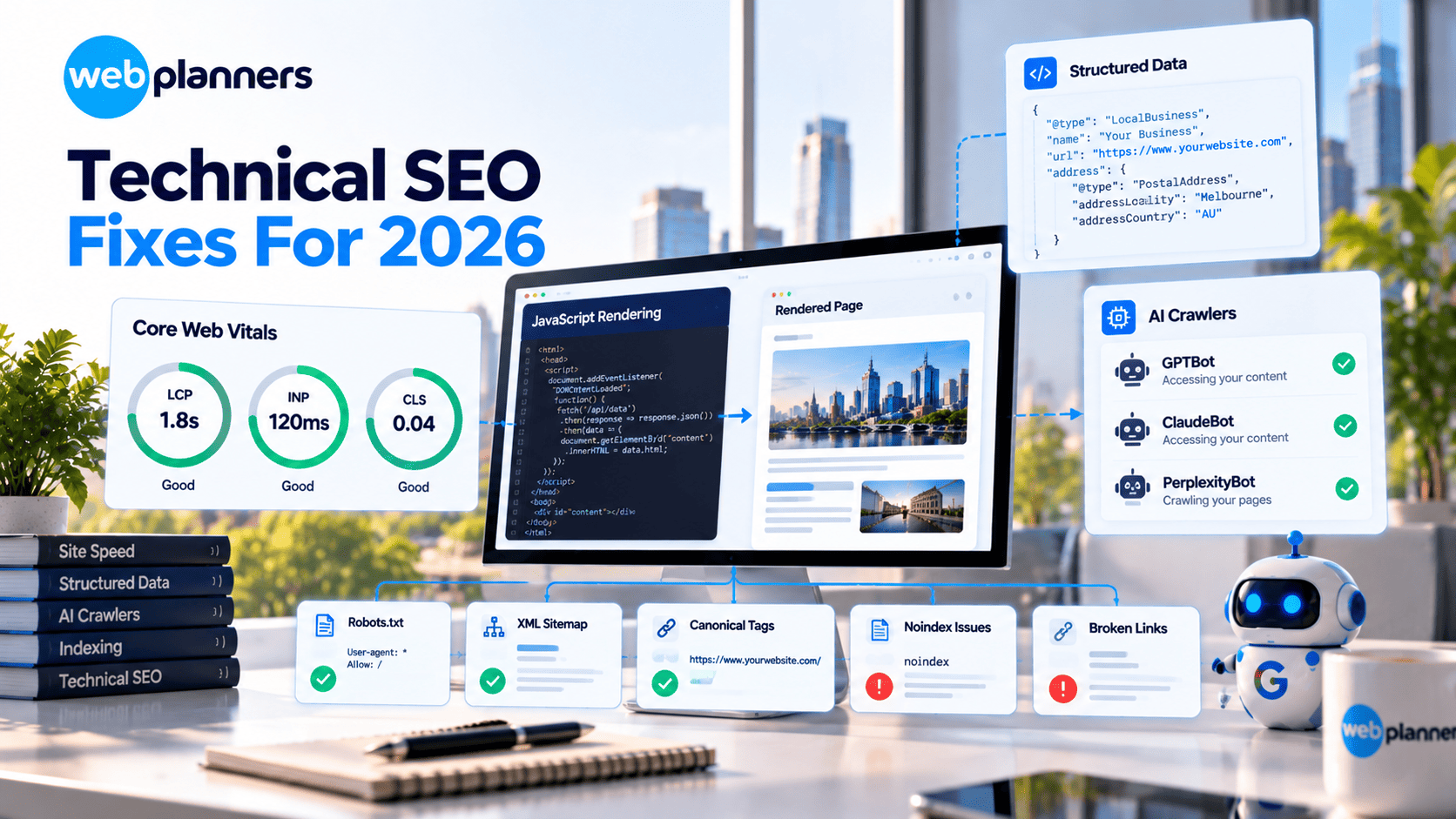
Technical SEO is the work that lets search engines and AI crawlers find, render, index and understand your website. Get the basics right and your content can rank and get cited. Miss them and even great pages stay hidden.
- Crawling and indexing: Allow important pages in robots.txt, keep your sitemap clean and fix stray noindex and canonical mistakes.
- Structure: Keep priority pages within three clicks of the homepage and link every page in.
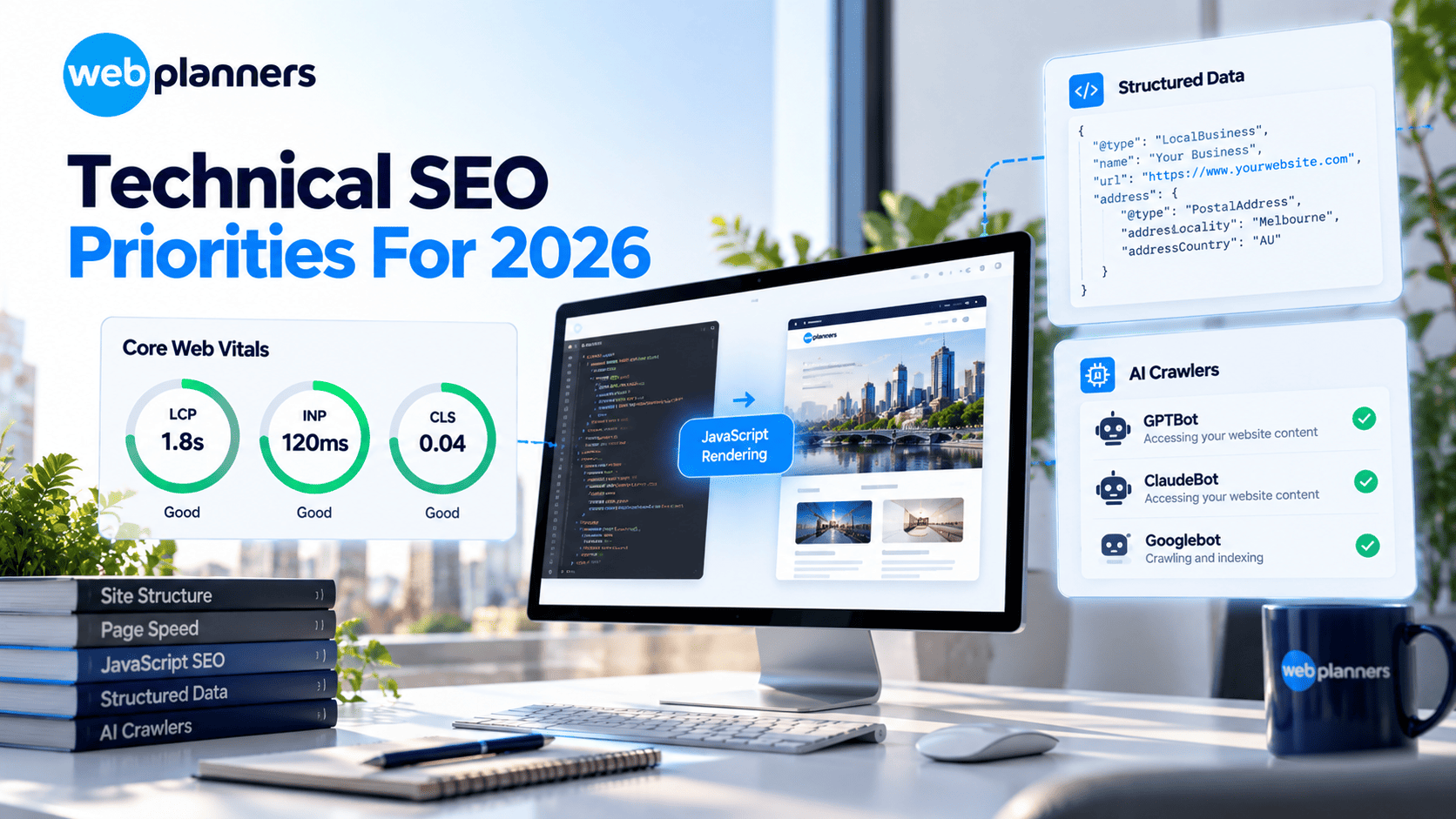
- Speed: Aim for LCP of 2.5 seconds or less, INP of 200 ms or less and CLS of 0.1 or less.
- Rendering: Keep key content and links in plain HTML, not behind JavaScript.
- Structured data: Add validated JSON-LD that matches what’s visible on the page.
- AI crawlers: Decide your robots.txt policy for GPTBot, ClaudeBot, PerplexityBot and Google-Extended.
What Is Technical SEO?
Technical SEO covers site structure, speed, mobile usability, security, structured data and the signals that tell Google which pages matter.
Think of it this way. Content is what you say, and links are who vouches for you. Technical SEO decides whether anyone can hear you at all. If you’re unsure where your own site stands, an SEO consultant in Melbourne can usually spot the biggest gaps in a single review.
Crawlability and Indexability
Before a page can rank, a search engine has to reach it (that’s crawling) and then decide to store it (that’s indexing). Miss either step and the page is invisible, however good it is.
Crawlability Checks
- Your robots.txt file isn’t blocking important pages, CSS or JavaScript.
- Your XML sitemap lists only live, indexable, canonical URLs, and it’s submitted in Google Search Console.
- Every important page sits within a few clicks of the homepage through internal links.
- Server responses are healthy, with few 5xx errors and no long redirect chains.
Indexability Checks
- There are no accidental noindex tags on pages you want ranked. This one happens a lot after a site launch.
- Canonical tags point to the right version of each page.
- Duplicate and thin pages, like filters, tags and parameter URLs, are merged or excluded.
- The Page indexing report in Search Console is checked, since it tells you exactly why pages are left out.
Find Out What Google Can’t See
Site Architecture and Internal Linking
A logical structure helps people and search engines see how your content fits together. Good site architecture is mostly common sense, but plenty of sites skip it.
- Group pages into clear hubs, such as services, industries and locations.
- Link from your strongest pages to your priority pages, using anchor text that says what the page is about.
- Add breadcrumbs with BreadcrumbList schema.
- Hunt down orphan pages, the ones with no internal links pointing to them, and link them in.
Online stores feel this the most. Filters and product variants can spawn thousands of near-duplicate URLs, and tidying that up is a big part of ecommerce SEO.
Core Web Vitals and Site Speed
Core Web Vitals measure how your site feels to real users. Here are Google’s “good” thresholds:
| Metric | What It Measures | Good |
|---|---|---|
| Largest Contentful Paint (LCP) | How fast the main content loads | 2.5 seconds or less |
| Interaction to Next Paint (INP) | How quickly the page responds to clicks and taps | 200 ms or less |
| Cumulative Layout Shift (CLS) | How stable the layout is while loading | 0.1 or less |
Most speed problems have familiar fixes. Compress and resize images, switch to WebP or AVIF, defer JavaScript that isn’t needed right away, remove apps and plugins you don’t use, reserve space for images and ads, and put a CDN in front of the site. When the cause sits in the theme or the code itself, you’ll likely need web development support rather than another plugin.
JavaScript Rendering
Google can render JavaScript, but it costs extra time and resources. Many AI crawlers don’t run JavaScript at all. So if your key content, links or metadata only show up after scripts load, some crawlers will never see them.
- Use server-side rendering or static generation for your important pages.
- Make sure links are real <a href> elements, not click handlers.
- Test pages with the URL Inspection tool in Search Console and compare the rendered HTML with what a visitor sees.
Structured Data
Structured data, also called schema markup, describes your content in a format machines can read. It can earn rich results, and it helps both search engines and AI tools work out which entities your site is about.
The types worth using include Organization, LocalBusiness, Service, Product, Article, FAQPage and BreadcrumbList. Stick to JSON-LD, only mark up content that’s visible on the page, and check everything with Google’s Rich Results Test. If you serve a specific area, LocalBusiness schema works best next to solid local SEO work, like a well-kept Google Business Profile.
Technical SEO for AI Crawlers
AI search adds a few new technical questions on top of the usual ones.
- Know the crawlers. GPTBot (OpenAI), ClaudeBot (Anthropic), PerplexityBot and Google-Extended (which controls whether Gemini can use your content) can each be managed in robots.txt.
- Decide your policy. Blocking AI crawlers protects your content, but it can cost you visibility in AI answers. If you want leads, you’ll probably want to let them in.
- Serve content in HTML. A lot of AI crawlers read raw HTML, so important information shouldn’t depend on JavaScript.
- Consider llms.txt. It’s a proposed file that gives AI tools a short map of your content. It isn’t an official standard and Google doesn’t use it, but it takes little effort to add.
Technical access gets you in the door. After that, your pages need to be easy to quote. Lead each section with a direct answer, use plain headings, and add a short FAQ where it genuinely helps. That habit sits at the heart of answer engine optimisation, and it helps ordinary search too.
Security, Mobile and International Basics
- Serve every page over HTTPS and redirect the HTTP versions.
- Design for mobile first, because Google indexes the mobile version of your site.
- If you target several countries or languages, set up hreflang properly.
- Return a 404 or 410 for pages you’ve removed, and 301-redirect pages that have moved.
A hacked or flagged site loses rankings fast, so close any gaps early with proper web security support.
Your Technical SEO Checklist
- robots.txt allows important pages, CSS and JS.
- XML sitemap contains only indexable, canonical URLs.
- No important pages carry an accidental noindex.
- Canonical tags are set correctly.
- No redirect chains or internal links to 404s.
- Every priority page is within 3 clicks of the homepage.
- LCP, INP and CLS pass on mobile.
- Key content is visible without JavaScript.
- Structured data is validated.
- AI crawler policy is decided in robots.txt.
- HTTPS everywhere, with a mobile-friendly design.
- Search Console is checked monthly for indexing and Core Web Vitals issues.
Make Your Site AI Ready
Conclusion
Technical SEO isn’t the exciting part of marketing, and nobody tweets about a clean sitemap. But everything else depends on it. Great content, strong links and a good design all go to waste if crawlers can’t reach your pages or can’t read them once they do.
Most sites don’t need a rebuild. They need a few problems found and fixed, then a habit of checking in every month. Work through the checklist, sort out the biggest blockers first, and keep an eye on AI crawlers as well as classic Google. If you’d rather hand the digging to a specialist team that handles AI SEO alongside traditional SEO, Webplanners is happy to help.
FAQs
What is technical SEO?
Technical SEO is the work that helps search engines crawl, render, index and understand your website. It covers site structure, page speed, mobile usability, security and structured data. Without it, even excellent content can stay invisible to Google and to the AI tools that now answer many searches.
How often should I do a technical SEO audit?
Run a full technical SEO audit at least once a year, and again after any redesign, migration or platform change. Between audits, check Search Console every month for indexing errors and Core Web Vitals problems. Catching an issue within weeks is far cheaper than finding it after traffic has already dropped.
Is technical SEO a one-time fix?
No, technical SEO is ongoing. New content, plugins, apps and code changes can introduce fresh problems at any time, from broken links to slow pages. A monthly check of Search Console, plus clear reporting through Google Analytics consulting, shows whether your fixes are working and spots new issues early.
Does technical SEO affect AI search visibility?
Yes. If AI crawlers can’t access or read your content, they can’t cite or recommend it. Blocked bots, JavaScript-only content and messy structure all reduce your chances of appearing in AI answers. Clean technical foundations support generative engine optimisation and help AI tools understand your pages.
Should I block AI crawlers like GPTBot and ClaudeBot?
It depends on your goals. Blocking GPTBot and ClaudeBot protects your content from AI use, but it can also keep your brand out of AI answers. Businesses that want leads usually allow them, which is where ChatGPT optimisation and similar work starts.
Do AI crawlers read JavaScript?
Many do not. Google can render JavaScript, but a lot of AI crawlers read only the raw HTML a server sends. If your key content, links or metadata appear only after scripts run, those crawlers may never see them. Server-side rendering fixes this for important pages.
The post The Complete Guide to Technical SEO in 2026 appeared first on Webplanners.
]]>The post Local Landing Pages: When They Help And When They Become Duplicate Content appeared first on Webplanners.
]]>Sometimes that is the right move. Sometimes it leaves a website with dozens of pages that provide almost the same information.
The difference comes down to local relevance and user value.
A strong location page gives people useful information about the service, the area and the business. A weak one simply swaps one suburb name for another.
For businesses considering local landing pages, the key question is: what makes this page genuinely useful for someone in this location? In this blog, we will discover how to create effective local landing pages that deliver real SEO value.
Focus: Understanding when local landing pages support local SEO and when similar pages risk creating duplicate content.
Key Considerations: Location relevance, genuine service areas, local customer demand, unique content, and search intent.
SEO Approach: Create location-specific landing pages that provide useful information about services, local experience, customer reviews, and service coverage rather than simply changing suburb names.
Professional Insight: Webplanners believes effective local SEO should prioritise genuinely useful location pages that reflect real business activity and customer needs.
Outcome: A stronger local SEO strategy that improves location relevance, supports search visibility, and avoids unnecessary duplicate landing pages.
What Is A Local Landing Page?
A local landing page targets a specific geographic area where a business genuinely operates or provides services.
For example:
- A dental practice with clinics in Brighton and Caulfield could have separate location pages for each clinic.
- A trades business serving Melbourne’s Bayside suburbs could create pages for its most important service areas.
- A company with offices in Melbourne, Geelong and Ballarat could provide location-specific information for each branch.
The page should reflect the business’s actual presence in that area.
This is an important part of local SEO services in Melbourne, where location relevance sits alongside website content, business information, reviews and other local search signals.
Build Better Local Landing Pages
When Local Landing Pages Make Sense
A location page has a stronger case when the business has something useful and specific to say about that area.
You Actually Serve The Location
Start with locations where you have real customers or regularly provide services.
If a business receives regular enquiries from Brighton, Hampton and Sandringham, those suburbs may warrant dedicated pages.
A suburb where the business has little activity, no meaningful customer base and limited service availability may not need its own URL.
You Have Genuine Local Experience
Local experience gives a page useful detail.
Depending on the business, this could include:
- Completed projects in the area.
- Testimonials from local customers.
- Services available to customers in that suburb.
- Common local customer requirements.
- Relevant project photos.
- Local appointment or service information.
- Case studies from the area.
These details help a visitor understand the business’s relevance to their location.
The Location Has Commercial Value
Search volume should not be the only factor behind a location page.
Consider:
- Existing customers in the area.
- Search demand for the service.
- Local competition.
- Average customer value.
- Service availability.
- Existing brand awareness.
- Your ability to provide useful local information.
Five strong location pages can be more valuable than 50 pages that provide little additional information.
When Local Pages Become Duplicate Content
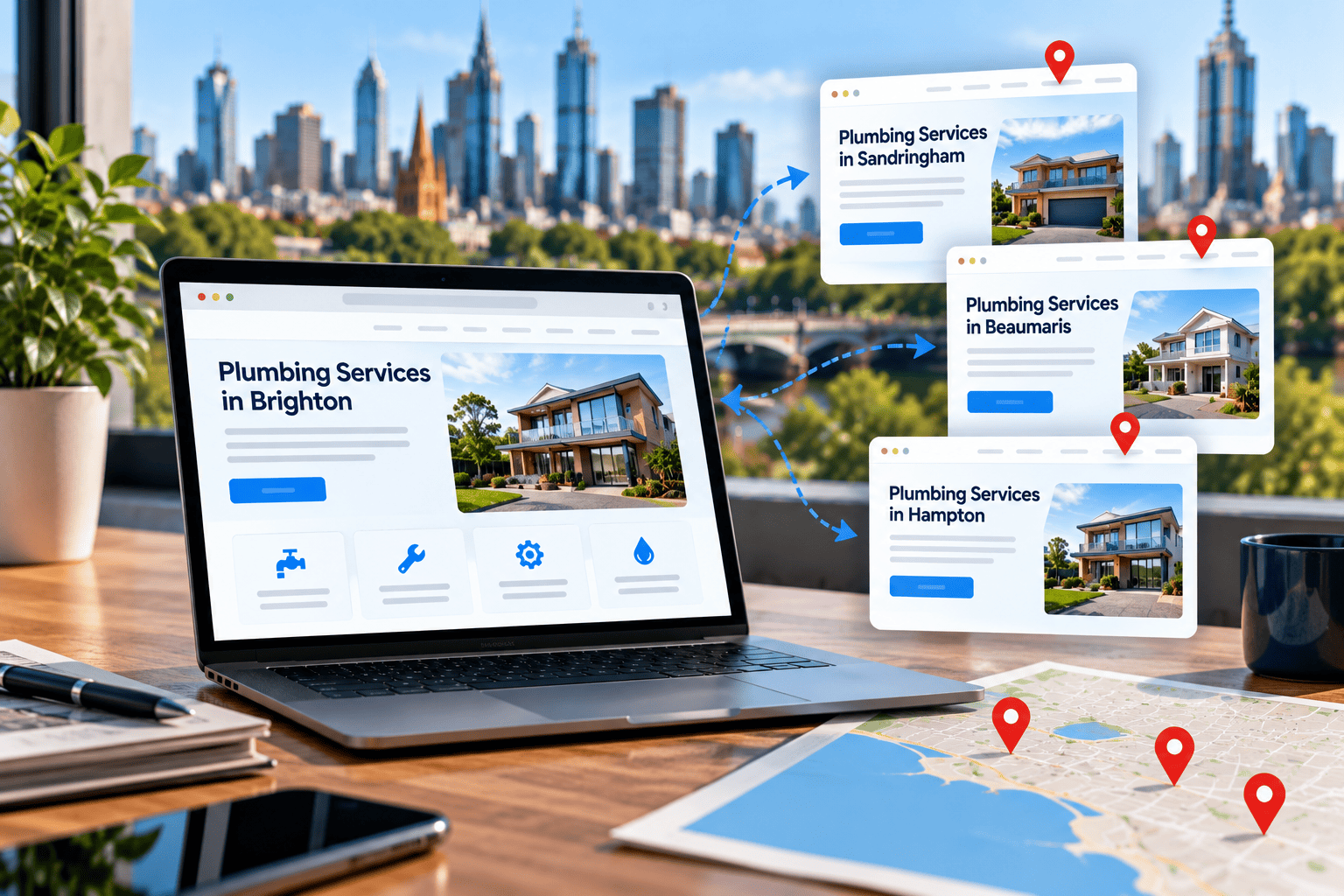
Consider a website with these pages:
- SEO Melbourne.
- SEO Richmond.
- SEO Hawthorn.
- SEO South Yarra.
- SEO Carlton.
If every page contains the same introduction, services, FAQs, images, testimonials and calls to action, changing the suburb name does little for the customer.
Google explains that when multiple pages contain duplicate or very similar content, it can select one representative canonical URL from that group. Google also states that some duplicate content is normal and does not, by itself, violate its spam policies.
There is a separate concern when businesses create substantially similar pages specifically to target different cities or regions without adding enough value. Google’s spam policies classify this type of doorway abuse as a search spam practice.
So the issue is not simply having similar information across a website. The bigger concern is creating location pages that offer little reason to exist as separate pages.
What Should A Strong Local Landing Page Include?
A useful location page should answer the questions a customer is likely to have before making contact.
Consider including:
- A location-specific introduction.
- Services available in that area.
- Genuine local examples.
- Relevant customer reviews.
- Local questions and answers.
- Service coverage information.
- Clear contact details.
- Relevant internal links.
- Useful images from local work.
- Evidence of experience in the area.
The information should feel relevant to the location rather than copied from another suburb page.
For businesses working across several markets, the website structure also needs to keep each location clearly connected to its relevant services. This becomes particularly important when planning multi-location SEO for Melbourne businesses.
Do You Need A Page For Every Melbourne Suburb?
There is no SEO requirement to create a page for every suburb.
Instead, assess each location against actual business activity and customer demand.
Ask:
- Do we provide services in this location?
- Do we have customers here?
- Is there meaningful search demand?
- Is the location commercially important?
- Can we provide information that is genuinely specific to this area?
- Does the location have a distinct customer need?
- Is another page already targeting the same search intent?
For example, a business focused on Melbourne’s Bayside area may have stronger opportunities in selected suburbs than across every suburb in metropolitan Melbourne.
Search behaviour can also vary between nearby suburbs, which makes understanding Melbourne Bayside SEO searches useful when deciding where location-specific content deserves attention.
Local Landing Pages And Google Maps
Your website is only one part of local search visibility.
Google Business Profile information, customer reviews, business details and website content all contribute to the information customers see when they search for a local business.
For example, inaccurate opening hours or outdated business details can create a poor customer experience even when the website itself is well optimised.
Keeping business information consistent also matters when building a broader Google Business Profile optimisation strategy.
Google Maps deserves separate attention as well. A business can have useful website content and still receive limited visibility in local map results, which is why Google Maps SEO in Melbourne should form part of a wider local search strategy.
Local Landing Pages And AI Overviews
Local search is also becoming part of Google’s AI-powered search experiences.
Google says its AI features, including AI Overviews and AI Mode, are built on its existing Search systems. Google recommends continuing to follow its established SEO practices, rather than relying on special techniques created specifically for AI features.
That makes the quality of your local pages particularly important.
A location page should make it easy to understand:
- What the business does.
- Which services it provides.
- Where it operates.
- What experience it has.
- What makes the business relevant to that customer.
- Where customers can find further supporting information.
Google also says there are no additional technical requirements or special schema required specifically for AI Overviews or AI Mode.
For businesses working on their local search strategy, this means the fundamentals still matter: useful content, accessible pages, clear website structure and accurate business information.
These principles also sit behind the growing role of AI for local SEO, particularly as customers use more conversational searches to find nearby services.
Turn Local Searches Into Leads
How To Decide Whether A Location Page Is Worth Keeping
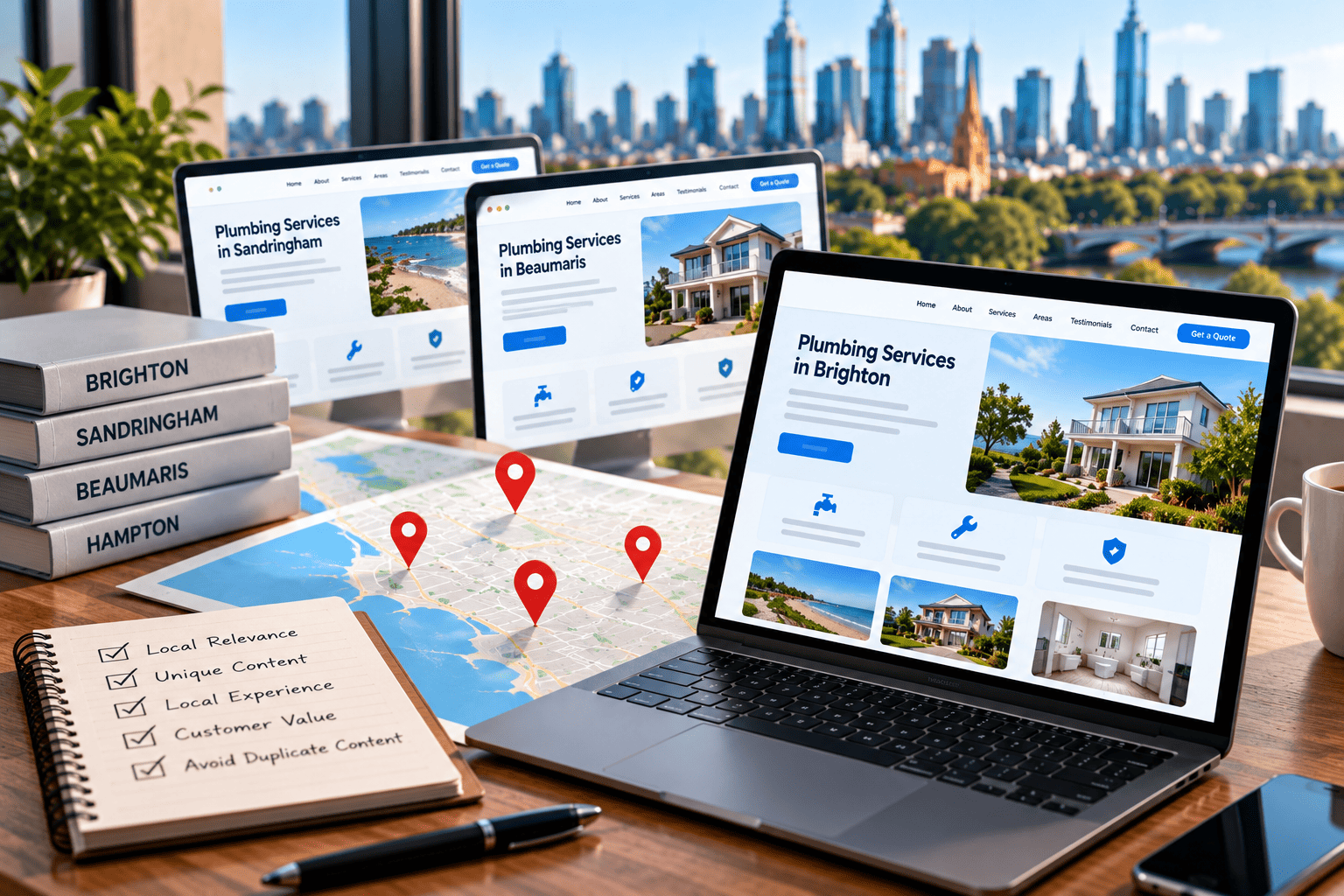
Before publishing or retaining a local landing page, ask:
- Does this page serve a genuine location?
- Does the business actually operate there?
- Does the page contain information specific to that location?
- Do we have local experience or customer evidence?
- Does the page answer useful questions?
- Does it target a distinct search intent?
- Does it add something that another page does not?
- Would a customer find it useful even without considering SEO?
If the page exists mainly because a suburb keyword has been added to the URL, title and headings, it probably needs more work.
Conclusion
Local landing pages can play an important role in an SEO strategy when they reflect genuine service areas, local experience and customer needs.
The strongest approach is to select locations based on real business activity and give each page a clear purpose. A website does not need hundreds of suburb pages to demonstrate local relevance.
For Melbourne businesses, the right structure depends on where you operate, who you serve and the useful information you can provide for each market.
Planning local landing pages for your business? Talk to WebPlanners about our SEO services in Melbourne and find out which locations deserve dedicated pages within your website.
FAQs
Should Every Service Area Have Its Own Landing Page?
No. A dedicated page makes sense when the location has genuine business relevance and there is enough useful information to make the page worthwhile. Businesses should consider service availability, customer demand, competition and the amount of location-specific information they can provide.
How Different Should Local Landing Pages Be?
There is no fixed percentage or word count that makes a page sufficiently different. The important consideration is whether each page provides meaningful information for its intended audience. Google can group pages with duplicate or highly similar content and select a representative canonical URL.
Can Duplicate Location Pages Hurt SEO?
Duplicate content does not automatically result in a Google penalty. However, highly similar pages can create indexing and canonicalisation issues and may provide little value to users. Google also has spam policies covering substantially similar regional pages created primarily to manipulate search visibility.
Should A Business Delete Similar Location Pages?
Not automatically. Review the purpose, quality and performance of each page first. Some pages may need stronger local information, while others may be better consolidated when they target the same intent and offer little additional value.
Can Local Landing Pages Appear In AI Overviews?
A local landing page can be eligible for Google’s AI search features when it meets Google’s normal Search requirements. Google states that its AI features use existing Search systems and that there are no special technical requirements specifically for AI Overviews or AI Mode.
Is Local Schema Required For AI Overviews?
No special schema is required for AI Overviews or AI Mode. Structured data can help Google understand page content when it is supported for the relevant Search feature and accurately reflects information visible on the page.
The post Local Landing Pages: When They Help And When They Become Duplicate Content appeared first on Webplanners.
]]>The post Entity SEO Explained: Why Google and AI Need to Know Exactly Who You Are appeared first on Webplanners.
]]>Think about a customer searching for a business by name. Google needs to distinguish that business from companies with similar names. AI systems face a similar challenge when they answer questions about brands, services, locations and expertise.
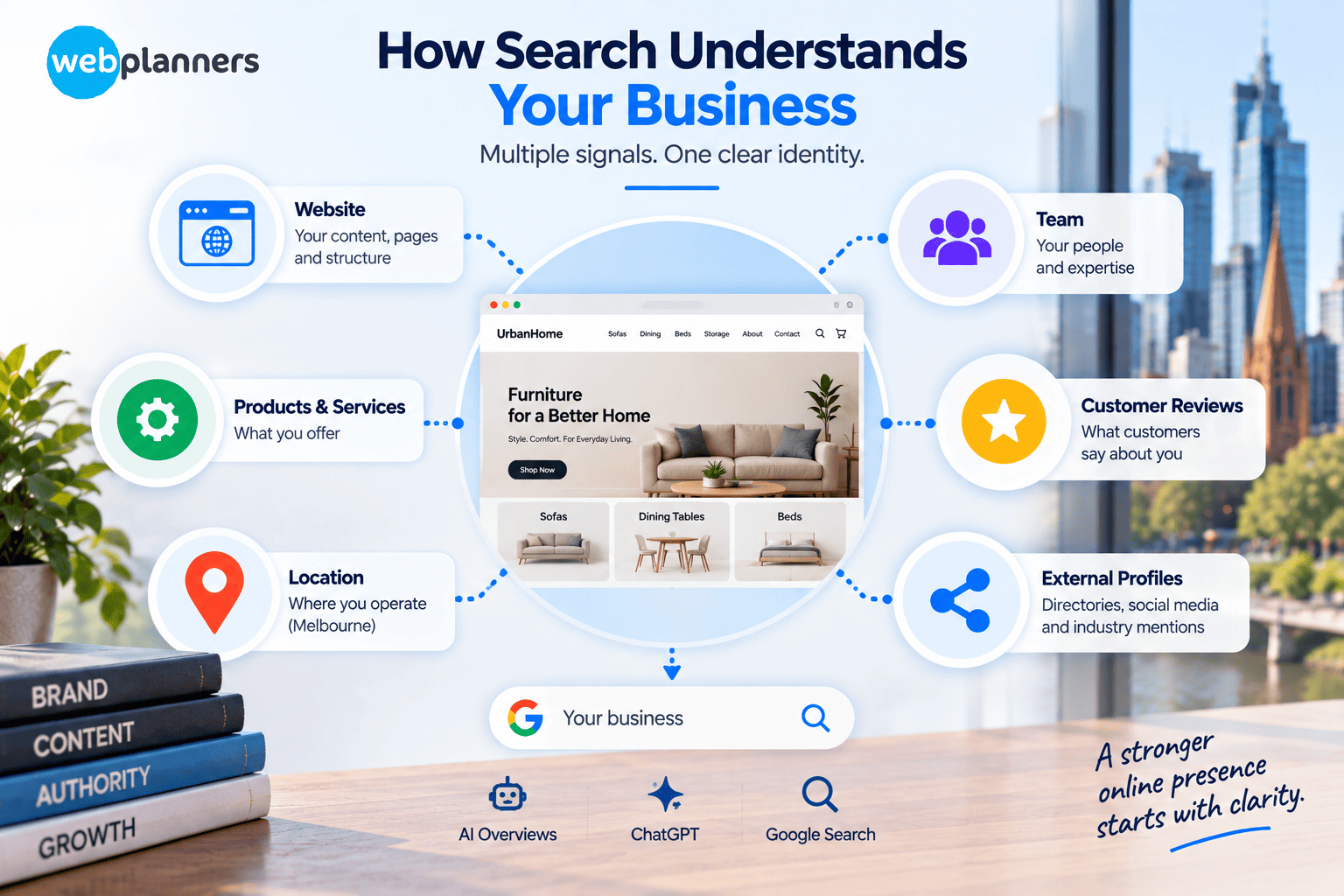
This is where entity SEO comes in. Rather than looking at a website as a collection of keywords and pages, entity-based search considers the people, businesses, services, products and places represented across those pages, along with the relationships between them.
That distinction is becoming more important as people use Google, AI Overviews and conversational platforms to research businesses before making a decision.
What Is an Entity in SEO?
An entity is a clearly identifiable person, place, organisation, business, product, service or concept.
For example, consider an online furniture store. It is not simply a collection of keywords such as “sofas Melbourne” or “dining tables Melbourne”. It is a business with:
- A recognisable brand.
- Specific products and categories.
- Physical or delivery locations.
- Product information and pricing.
- Customer reviews.
- Expertise and buying resources.
Search engines can use these signals to build a clearer understanding of what the business represents.
This is why repeating a keyword throughout a page is very different from establishing a recognisable business entity.
Why Entity Clarity Matters
Imagine two websites.
The first relies heavily on phrases such as “best running shoes,” “running shoes Melbourne,” and “women’s running shoes,” but gives little context about the brand, its products, expertise or what makes it relevant to customers.
The second clearly explains:
Who the business is → What it does → Who it serves → Where it operates → Why it is qualified
The second website gives search systems much more context.
Google’s structured data documentation describes structured data as a way to provide explicit clues about the meaning of page content. It can help Google understand entities and relationships, although it does not guarantee rankings or enhanced search appearances.
That same principle matters when AI systems are trying to determine which business a question refers to.
Make Your Business Easier to Understand Online
Entity SEO Goes Beyond Your Business Name
Your brand name is only one part of your entity. Search systems can connect several types of information around a business.
Your business
Make the organisation clearly identifiable through consistent information across important pages and credible external references.
Your services
Each major service should have a clear description rather than being mentioned briefly across dozens of unrelated pages.
For example, if an online furniture store sells sofas, beds and dining tables, each product category should have its own clear context rather than placing every product under one generic page.
Your location
Location can add another layer of meaning.
A business may operate in Melbourne while also serving customers in Sydney, Brisbane or Adelaide. The website should make those relationships clear where they are genuinely relevant.
This is particularly important for businesses relying on local search, where location, service area and customer intent can strongly affect which businesses appear.
Your people and expertise
Authors, founders, specialists and other identifiable professionals can add context around a business’s expertise.
That information should be genuine and supported by appropriate profiles, experience and content.
Your external presence
Your website is not the only source of information about your business.
Business directories, industry publications, professional profiles, reviews and other credible references can contribute to how your organisation is understood across the web.
Consistency matters here. If different sources describe your business in conflicting ways, search systems have more ambiguity to resolve.
Entity SEO and Keywords Are Not the Same Thing
Keywords still matter.
If someone searches for “SEO consultant Melbourne”, that phrase provides useful information about what they want.
But the search system also needs to understand:
Which business provides that service?
Where is it located?
What does the business specialise in?Is this a reliable source?
What other evidence supports those claims?
This is why you can’t just depend on keyword placement in modern SEO.
Our SEO consultants focus on business goals, technical optimisation, content planning and measurable search performance rather than the whole strategy being individual keywords.
How Structured Data Supports Entity Understanding
Structured data can give you more information about what a page is about.
For a business, this could include information on:
- Organisation.
- LocalBusiness
- Services.
- Website.
- Logo.
- Address.
- Contact Information.
- Similar profiles.
The important thing is that structured data should represent information that the page actually supports.
For example a local business page should have the right business name, address, and other relevant details and be consistent.
Schema does not create an entity out of thin air.
It provides structured information about an entity that already needs to be clearly represented.
Your Website Should Tell One Consistent Story
Consider an online furniture store that describes itself differently across its website and external profiles.
The homepage positions it as a furniture retailer. One page focuses on bedroom furniture.
A directory categorises it as a homewares store. Another profile uses a slightly different brand name.
A customer may still understand that these profiles refer to the same store. A search system has a harder job connecting all those signals.
The goal is not to make every mention identical. It is to keep the important business details consistent enough for those relationships to be clear.
This includes checking:
- Business name.
- Website.
- Contact details.
- Locations.
- Main services.
- Team information.
- Business descriptions.
- External profiles.
Entity SEO and Content Are Closely Connected
A business entity becomes clearer when its website provides useful depth around what it actually offers.
Suppose an online furniture store sells sofas.
A single page saying “We sell furniture” gives limited context. A stronger website may contain:
Sofa collection → Sofa buying guide → Material and care information → Customer reviews → Related furniture
Each page adds useful context about the products, the brand and what customers can expect.
This is why relevant, connected content is more valuable than simply publishing large volumes of pages around similar keywords.
Webplanners’ recent research into AI search visibility across Melbourne industries found that clear business identity, useful industry information and relationships between pages all play a role in how businesses are represented in AI-driven search experiences.
What AI Systems Need to Understand About Your Business
When someone asks an AI platform:
“Who provides this service in Melbourne?”
The system needs enough information to make sense of the question and the businesses it may recommend.
It may need to establish:
- What the business does.
- Where it operates.
- What it specialises in.
- Who it serves.
- Whether credible information supports those claims.
- How the business differs from alternatives.
This is where entity clarity can support AEO and generative search visibility.
It also connects with the principles behind ChatGPT optimisation, where business information needs to be clear enough for AI systems to interpret and potentially reference. Webplanners’ ChatGPT optimisation resources place entity information alongside content, authority and structured data as important components.
What About AI Overviews?
AI Overviews make entity clarity even more relevant because a search response can combine information from different sources instead of simply displaying one webpage.
For example, a person might search for:
“Which Melbourne business is suitable for small business SEO?”
The question is not just about finding a page containing the words “small business SEO”.
The system needs to understand which businesses offer the service, where they operate, what they specialise in and what information supports those associations.
Google says AI Overviews and AI Mode use the same foundational SEO practices as Google Search. There is no separate technical requirement or special AI markup that guarantees inclusion.
That makes the fundamentals important: clear content, accessible pages, reliable information and a website structure that makes sense.
Build Relationships Between Your Pages
Entity understanding does not stop at individual pages.
Consider a B2C home services business:
Air conditioning installation → Air conditioning buying guide → Installation project → Air conditioning maintenance
Each page answers a different customer need while remaining connected to the same business and service area.
That relationship can be strengthened through useful internal links.
The same principle applies to a business’s broader content structure. A service page can connect to supporting resources, while relevant case studies can provide evidence of experience.
This approach also gives GEO more useful material to work with because the business is represented through connected, context-rich information rather than isolated pages.
How to Strengthen Your Business Entity
You do not need to create hundreds of pages.
Start with the information that already exists.
Make the business description precise
Explain what the business does, who it serves and where it operates.
Give important services their own context
A major service should not be buried inside generic homepage copy.
Keep business information consistent
Check your website and relevant external profiles for major differences in business name, location and contact information.
Connect related pages
Use internal links where they genuinely help customers understand a subject or move towards the next step.
Support expertise with evidence
Use genuine case studies, experience, credentials, reviews and useful original information where appropriate.
Use structured data carefully
Add relevant schema that accurately describes the page rather than filling every available property.
Strengthen Your Business Entity Across Search
A Simple Entity SEO Audit
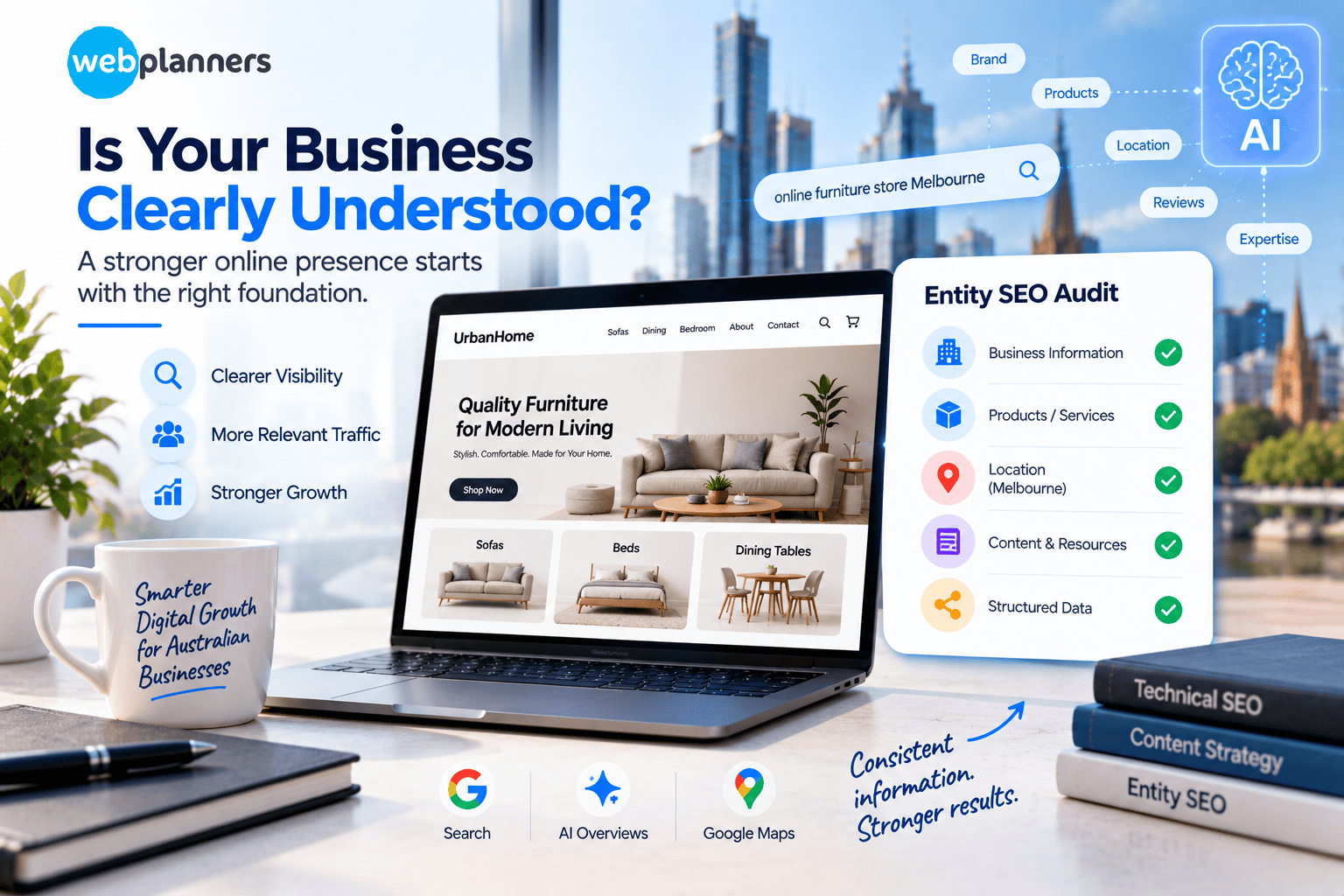
You can start with these questions:
| Question | What it reveals |
|---|---|
| Is the business clearly identified? | Brand clarity |
| Are services clearly defined? | Service relevance |
| Are locations accurate? | Local context |
| Are important people identified? | Expertise |
| Is business information consistent? | Entity confidence |
| Are related pages connected? | Topical relationships |
| Does structured data match the page? | Machine-readable context |
| Do credible external sources support the business? | Authority |
If several answers are unclear, the problem may not be a lack of keywords.
It may be a lack of context.
Conclusion
Entity SEO is ultimately about clarity. Search systems have to know more than what words are on a page. They need context around the business, its services, locations, expertise and relationships with other related information.
For a Melbourne business that means creating a consistent digital identity, not just repeating keywords.
Clear service pages, useful supporting content, accurate business information, appropriate structured data and credible external references can all contribute to that picture.
As search becomes more conversational and AI-generated answers become part of the customer journey, being clearly understood matters alongside being well ranked.
If you are not sure how well Google and AI systems understand your business, then reviewing your website content, entity signals and search structure can help you identify where the gaps are.
Get in touch with Webplanners to build a clearer search presence for your business using the help of SEO strategy, structured data and practical AI search considerations.
FAQs
Is entity SEO replacing traditional SEO?
No. Entity-based optimisation adds another layer to SEO. Keywords still help describe what people search for, while entity signals help search systems understand the businesses, services, people and places behind those searches.
Does my business need a Knowledge Panel to have a strong entity?
No. A Knowledge Panel is not a requirement for having a clearly established business entity. Focus first on consistent business information, useful content, structured data where appropriate and credible references.
Can changing my business name affect entity recognition?
Yes. Major changes to your business name, website, location or branding can create inconsistencies if they are not updated across important sources. When changes occur, review the website, structured data and relevant external profiles.
Does schema markup create an entity?
No. Schema can provide structured information about an entity, but it does not replace clear business information, useful content or credible external signals.
How does entity SEO relate to local search?
Location is an important part of many business entities. A local business should make its genuine location, service areas and business information clear. This supports the wider local search strategy rather than replacing it.
The post Entity SEO Explained: Why Google and AI Need to Know Exactly Who You Are appeared first on Webplanners.
]]>The post Is Your Website Easy for AI to Understand? 7 Things to Check appeared first on Webplanners.
]]>The issue is not about making a website “AI-friendly” by adding a few phrases or creating pages written for machines. It is about whether the important information on your website is visible, specific, consistent and easy to interpret.
Google’s current guidance is clear on one important point: its generative AI features still rely on core Search ranking and quality systems. There is no separate set of magic SEO tricks that guarantees visibility in AI Overviews or AI Mode.
Keep reading, as we’ll look at practical checks you can run on your website to see whether your content is clear enough for AI systems to interpret, connect and use.
An AI system does not see your website in quite the same way a customer does.
A customer can look at a page and quickly understand that you sell premium running shoes, operate in Melbourne and offer same-day delivery.An AI system needs that information to be available in a form it can access and interpret consistently.
Start with these checks:
- Can search systems access the actual page content?
- Is the main purpose of the page obvious?
- Can important information be read without interaction?
- Do your headings reflect real customer questions?
- Are your business entities and relationships clear?
- Are important claims supported by useful evidence?
- Do internal links reinforce the meaning of the page?
These checks are more useful than simply writing for AI.
1. Can Search Systems Access The Actual Page Content?
Start with the simplest question:
If the page loads in a browser, can a search system access the same important information?
Modern websites often rely heavily on JavaScript. That is not automatically a problem, but it can become one when important information only appears after a user interaction or after additional scripts run.
For example, an online retailer may have a product page where the browser shows:
“Organic cotton activewear made in Australia.”
But if the key product description, specifications or availability information is only generated through a client-side application, you need to check how the rendered page is actually seen by search systems.
Google recommends using tools such as URL Inspection to check how it crawls and renders a URL.
Check this:
- View the page source and rendered page.
- Test important URLs in Search Console.
- Check whether key copy appears after rendering.
- Look for content loaded only after clicks or scripts.
- Check that important pages are not blocked from crawling.
This is particularly important for websites built around complex JavaScript frameworks, product filters, interactive tools and dynamic content.
Make Your Website Easier For AI To Understand
2. Is The Main Purpose of The Page Obvious?
An AI system should not have to work through five paragraphs of promotional copy before understanding what a construction business actually does.
Take a construction company targeting Melbourne homeowners.
The first section should make the service immediately clear:
Residential Construction Services in Melbourne
Then quickly explain:
- What types of construction projects the company handles?
- Whether it works on new builds, extensions or renovations?
- Which areas it services?
- Who the service is designed for?
- What makes its approach or experience relevant?
Compare that with a page that begins with:
“Building your dream home is an exciting journey, and choosing the right construction partner is an important decision…”
That opening could appear on almost any builder’s website.
A clear page purpose starts with the basics: a descriptive title, useful headings and specific opening copy.
For a construction website, the same principle applies across project and service pages. A visually impressive site still needs a clear information structure so customers and search systems can quickly understand what the business does.
3. Can Important Information Be Read Without Interaction?
This is one of the most overlooked checks. Businesses often hide useful information inside:
- Tabs
- Accordions
- Sliders
- Pop-ups
- Hover states
- “Read more” controls
- Product filters
- Interactive calculators
These features can be useful for customers. The problem comes when essential information is available only after an interaction that a search system may not experience in the same way.
For example, a furniture retailer might place all product dimensions inside an expandable tab.
A customer can click it.
But if the page’s main content does not clearly expose those dimensions in an accessible way, the information becomes less useful as a source for search.
The same issue can affect:
- Pricing conditions.
- Service areas.
- Product specifications.
- Delivery information.
- Warranty details.
- Eligibility requirements.
- Important product differences.
Interactive design should improve access to information, not become the only place where the information exists.
4. Do Your Headings Reflect What Customers Actually Want to Know?
Headings are not just formatting.
They give both users and search systems clues about how information is organised.
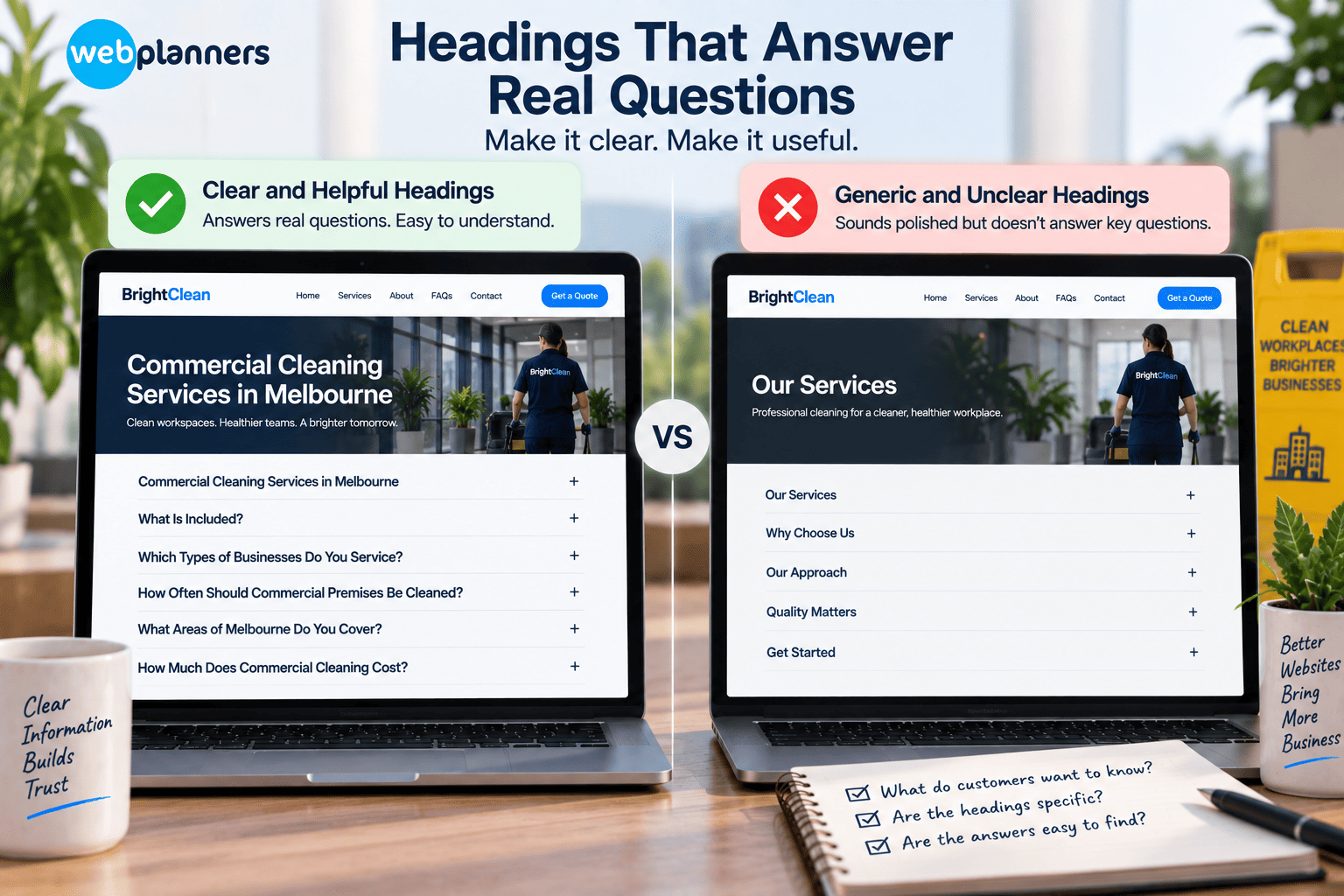
A page about commercial cleaning services could use headings such as:
- Commercial Cleaning Services in Melbourne
- What Is Included?
- Which Types of Businesses Do You Service?
- How Often Should Commercial Premises Be Cleaned?
- What Areas of Melbourne Do You Cover?
- How Much Does Commercial Cleaning Cost?
These headings establish a much clearer information structure than:
- Our Services
- Why Choose Us
- Our Approach
- Quality Matters
- Get Started
The second set sounds polished but communicates very little.
This is where the principles behind Answer Engine Optimisation can be useful without turning every page into a collection of FAQs. The aim is to make genuinely useful answers easy to locate.
5. Are Your Business Entities and Relationships Clear?
AI needs more than isolated words.
It needs context.
Suppose a website mentions:
“Melbourne”
That alone says very little.
But if the website consistently connects:
Business → Service → Location → Audience → Product → Industry
the relationship becomes much clearer.
For example:
Melbourne-based activewear retailer → women’s running clothing → online and Melbourne store → runners and fitness customers → leggings, tops and jackets
That gives far more context than repeating “activewear Melbourne” throughout the page.
Look at your website and ask:
- Is the company name consistent?
- Are products and services named consistently?
- Are locations clearly stated?
- Are related services connected?
- Does the website clearly distinguish brands, products and services?
- Do different pages contradict each other?
This is where Entity SEO becomes relevant, but the practical task is straightforward: make the business and its relationships easy to understand.
6. Are Important Claims Supported by Useful Information?
AI systems have plenty of generic information available to them.
Your website becomes more useful when it contains information that is specific to your business.
Consider these two statements:
“We provide high-quality solar solutions.”
and:
“Our Melbourne residential solar installations use panels rated for Australian conditions, with system sizing based on household energy consumption, roof orientation and available roof space.”
The second gives a much clearer picture.
It contains details that can help a customer understand the service.
Useful supporting information could include:
- Product specifications.
- Testing information.
- First-hand observations.
- Original research.
- Case studies.
- Detailed comparisons.
- Process explanations.
- Real examples.
- Relevant credentials.
- Customer outcomes.
This is not a reason to make every page longer. It is a reason to make important pages more specific.
Improve Your Website’s Search Visibility
7. Do Your Internal Links Explain How Your Content Fits Together?
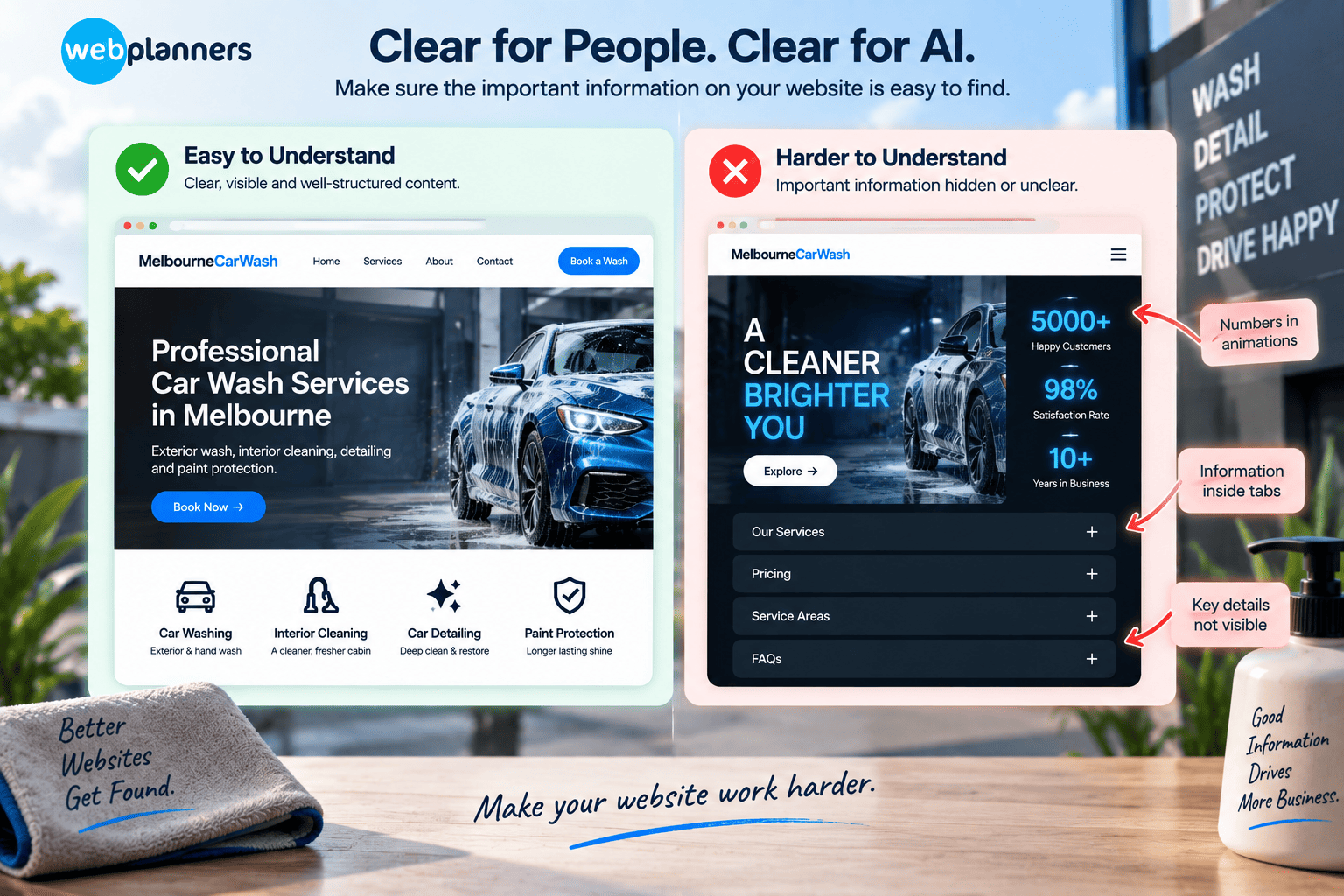
Internal links do more than connect one page to another. They help both customers and search systems understand how different parts of your website relate to each other.
Suppose a Melbourne car wash business has pages covering:
Car Washing → Interior Cleaning → Car Detailing → Ceramic Coating → Paint Protection
A visitor should be able to move naturally between closely related services without being presented with a long list of unrelated links.
The anchor text matters too.
Instead of:
“Click here to learn more.”
Use:
“See how our car detailing services can give your vehicle a deeper clean.”
The anchor gives the visitor context before they click and makes the relationship between the two pages clearer.
Relying on an expert SEO consultant can help you get more organic traffic with internal linking
For this website, the same principle applies to AI search: link where the next page genuinely adds context, not because every page needs three internal links.
Conclusion
An AI-readable website is not a website filled with AI terminology.
It is a website where the important information is accessible, specific, connected and consistent.
Start with your most valuable pages. Check what a customer needs to understand, then check whether that information is actually available to search systems in a clear form.
If you want to assess the wider technical foundation, rely on our trusted AI SEO company in Melbourne. Our team can review how your website handles crawlability, content structure, internal linking and search visibility across key pages.
Want to know how clearly AI can understand your website? Talk to Webplanners for a practical website and AI search assessment.
FAQs
Can a website be technically sound but still difficult for AI to understand?
Yes. Technical accessibility is only one part of the picture. A page can be crawlable while still being vague, inconsistent or lacking the information needed to explain the business, product or service clearly.
Does adding an AI-readable summary to every page help?
No, not automatically. Summary is helpful when it provides a concise explanation of a complicated page but the same generic AI-focussed summary on multiple pages adds little value. The important information should be in the underlying page content.
Should I change my website if AI search traffic is currently low?
Not only AI traffic. First, look at the commercially relevant pages: how your customers find your products or services, and whether the essential information is easily accessible and presented clearly. AI search should be looked at in conjunction with organic traffic, enquiries, sales and other business outcomes.
The post Is Your Website Easy for AI to Understand? 7 Things to Check appeared first on Webplanners.
]]>The post Custom Website vs Template Website: What Should A Business Choose? appeared first on Webplanners.
]]>At the same time, choosing a template simply because it is cheaper or faster can create problems later. You may end up with a site that looks like dozens of others, limits what you can change, or forces your business to work around the website instead of the other way around.
The better question is not “Which option is better?”
It is:
“Which option fits what my business needs now, and where it needs to go next?”
A local service business with a small number of pages may do perfectly well with a well-built template. A business with complex processes, custom integrations or unusual customer journeys may need a custom website. Here is how to decide.
What Is The Difference Between A Custom Website And A Template Website?
A template website starts with a pre-designed structure. The business then changes the colours, images, text, layouts and branding to suit its needs.
A custom website is designed and built around the business’s specific requirements. The structure, functionality and user experience can all follow how customers actually interact with the company.
The difference goes well beyond appearance. It can affect:
- How the website handles customer journeys.
- How much control you have over functionality.
- How easily the site can grow.
- How unique the user experience can be.
- How integrations work.
- How much development work the site needs over time.
- The total cost of ownership.
A template can be the right choice for one business and the wrong choice for another.
Choose The Right Website For Your Business
When A Template Website Makes Sense
Templates have come a long way. A good template can provide a professional starting point without requiring months of development.
For some businesses, that is exactly what they need.
A template may work well when:
- You have a limited initial budget.
- You do not need complex integrations.
- Your website has relatively simple functionality.
- You have a straightforward service offering.
- You need a website launched within a shorter timeframe.
- You are comfortable working within an existing design system.
- Your customers mainly need basic information and contact details.
Consider a small Melbourne electrician with five core services, a service-area page, testimonials, contact information and an enquiry form.
There may be little commercial value in paying for a completely bespoke system if a properly configured template can deliver the required experience.
The important point is quality. A template should still have clean code, sensible page structure, responsive design, fast loading times, strong security and room for sensible content changes.
When A Custom Website Becomes The Better Choice
Custom development makes more sense when your business has requirements a standard template can’t handle well. For example, a company may need:
- A complex booking system.
- Customer portals.
- Product configurators.
- Membership functionality.
- Multiple third-party integrations.
- Custom quote calculations.
- Different user journeys for different customers.
- Advanced ecommerce functionality.
- Bespoke internal workflows.
Take a commercial equipment supplier that lets customers configure machinery, request a tailored quote and send technical specifications to its sales team. A standard template could handle the basic pages, but that customer journey needs functionality that won’t fit neatly into an existing theme. Custom development gives you more control in that situation.
If your business needs more than a standard website setup, our web development services in Melbourne can help you get the best solution.
Your Budget Should Include More Than The Initial Build
The cheapest website option is not always the least expensive over its lifetime.
Look at the full cost, including:
- Initial development.
- Hosting.
- Plugins and licences.
- Security updates.
- Maintenance.
- Future changes.
- Third-party integrations.
- Developer time.
- Performance improvements.
- Rebuilding or replacing the site later.
A template might have a lower starting cost but become expensive if every small change requires workarounds.
A custom site may require more investment at the beginning but could make sense if it supports a complicated business process for several years.
Think about the website as business infrastructure, not just a design expense.
Templates Can Still Deliver Strong SEO

There is a common assumption that a custom website automatically performs better in Google. It does not.
Search performance depends on much more than whether the site uses a template or custom development.
Important factors include:
- Useful and relevant content.
- Clear site structure.
- Internal links.
- Mobile usability.
- Page performance.
- Indexability.
- Metadata.
- Structured data where relevant.
- Quality backlinks.
- Strong customer experience.
A poorly developed custom website can perform worse than a well-built template website.
The same applies to WordPress. The platform itself does not determine whether your site will perform well. Implementation matters.
Professional WordPress expertise can be useful for businesses that want WordPress while still requiring a professional, scalable website setup.
Design Should Follow The Customer Journey
One of the biggest differences between a good website and an average one is whether the design reflects how customers actually make decisions.
A business might have several types of visitors.
For example, a building company could receive traffic from:
- People comparing builders.
- Returning customers.
- People ready to request a quote.
- Homeowners researching renovation options.
- Customers looking for a specific service.
Each visitor may need different information. A template can still support these journeys if the structure allows enough flexibility. But if the business has very specific requirements, custom design may provide more control.
The goal should not be to make the website look different for the sake of being different.
The goal is to make it easier for the right customer to understand the offer and take the next step.
Businesses considering custom website development options can rely on our web design services in Melbourne.
Think About What Happens Two Years From Now
A website that works today may not be suitable once the business grows.
Ask yourself:
- Will we add new services?
- Will we expand into new locations?
- Will we add ecommerce?
- Will customers need accounts?
- Will we connect the site to other systems?
- Will our sales process change?
- Will we need new landing pages regularly?
- Will the website need to handle significantly more traffic?
If the answer to several of these is yes, think carefully before choosing a restrictive setup.
You do not need to pay for functionality you may never use. But you also do not want to rebuild the entire website because the original platform cannot support a change that was foreseeable.
Custom Does Not Mean Better By Default

This is an important distinction. A custom website can give you more control, but custom development doesn’t automatically produce a better website. Poor custom work can result in:
- Slow pages.
- Difficult content management.
- Unnecessary complexity.
- Expensive maintenance.
- Security problems.
- Poor mobile performance.
- A complicated editing process.
Likewise, a well-built template site can be fast, attractive, easy to manage and effective for its intended purpose.
The quality of the development matters more than the label attached to it.
A Simple Way To Choose
Use your business requirements rather than the price tag alone.
| Business requirement | Template website | Custom website |
|---|---|---|
| Basic service pages | Excellent fit | May be unnecessary |
| Simple contact forms | Excellent fit | Usually unnecessary |
| Standard business website | Strong option | Possible |
| Unique customer journey | May be limiting | Strong option |
| Complex integrations | Often limiting | Better fit |
| Customer portal | Usually limiting | Better fit |
| Custom calculators or tools | May require workarounds | Strong option |
| Fast initial launch | Usually faster | Can take longer |
| Highly specific functionality | Limited | Strong fit |
| Long-term complex requirements | Depends on platform | Often better suited |
There is also a middle ground. A business can use WordPress with a professional theme and custom development where needed. This can provide a manageable content system while allowing specific functionality to be built around the business.
Do Not Choose A Website Based On Design Alone
A polished homepage can make a website look impressive during a sales presentation.
That does not tell you whether it will work for your customers.
Before choosing a development approach, ask:
- Can the site support future requirements?
- What will maintenance cost after launch?
- Can customers find what they need quickly?
- Can the website support SEO and paid campaigns?
- Does the platform work with the business’s existing systems?
- Can the business update important content without unnecessary technical work?
These questions will tell you far more than a collection of design mockups.
Not Sure Which Website Option Fits?
Conclusion
There is no universal winner between custom and template websites. A template can be a smart choice for a straightforward business that needs a professional website without unnecessary complexity.
Custom development makes more sense when the site has to support specialised functionality, complex customer journeys or long-term growth.
The right decision starts with the business requirements, not the technology label. If you are planning a new website and are unsure which approach fits, WebPlanners can assess your requirements across design, development, SEO and future functionality.
Get in touch with us and know how our web development services in Melbourne can build a website that supports your business goals, customer needs and long-term growth.
FAQs
Is a custom website better for SEO than a template website?
Not automatically. Both can perform well when they have strong technical foundations, useful content, good site structure and a positive user experience. The quality of implementation matters more than whether the website started from a template.
Is WordPress considered a template website?
Not necessarily. WordPress is a content management system. A WordPress website can use an off-the-shelf theme, a customised theme or a largely bespoke design and development setup.
How do I know if my business needs custom development?
Look at the functionality your business needs rather than the size of the company. Complex bookings, portals, calculators, integrations, ecommerce requirements or unusual customer journeys may justify custom development.
Can a template website be redesigned later?
Yes, though it depends on the platform and how the original site was built. Major changes can get difficult if the site leans heavily on restrictive themes or plugins, so it’s worth thinking about future requirements before you commit to the initial setup.
Is a custom website worth the extra cost for a small business?
Sometimes. If your business needs a simple website, a quality template-based setup may give you better value. If the website plays a major role in sales and needs specialised functionality, custom development may be worth more over the long term.
The post Custom Website vs Template Website: What Should A Business Choose? appeared first on Webplanners.
]]>The post Why Competitors Win Customers Before They Reach Your Website appeared first on Webplanners.
]]>That’s a problem if you only measure website traffic. Your competitors might be earning attention and trust well before the visit, and getting the enquiry because of it.
Often the website isn’t the weak spot. The gap is in how your business shows up everywhere else customers look. Here’s what could be going on and what you can do about it.
Your Competitors Appear Earlier in the Customer’s Search
People rarely start with a business name. They search for a service, look at a few options and watch for signs that someone can actually help.
Say a homeowner wants solar panels. They’ll probably search for installation costs, check which local companies come up and read reviews before visiting any site. If a competitor appears for those early searches and you only show up when someone types your name, they get a head start every time.
That’s why your site needs pages that match what people search at each stage: researching, comparing and buying. Our SEO services start with the searches that lead to real enquiries rather than the ones that just look good in a traffic report.
Strengthen Your Presence Across The Buying Journey
AI Search Is Changing How Customers Compare Businesses
More people now ask AI tools detailed questions and let them do the comparing. Instead of opening five tabs, they ask who to hire, how two services differ or what to look for before signing anything.
Take someone choosing a commercial cleaner who asks what a good cleaning contract should cover. The businesses that have published clear information on service scope, compliance and what affects pricing have something for the tool to draw on. The ones with a thin services page don’t.
Repeating keywords or churning out generic articles won’t get you there. What helps is accurate, specific information that’s easy to understand. Our AI SEO services focus on that side of visibility. If you want to see how the selection works, this piece on how Google AI Overviews select content explains what tends to get chosen.
Paid Ads Put Competitors in Front of Ready-to-Buy Customers
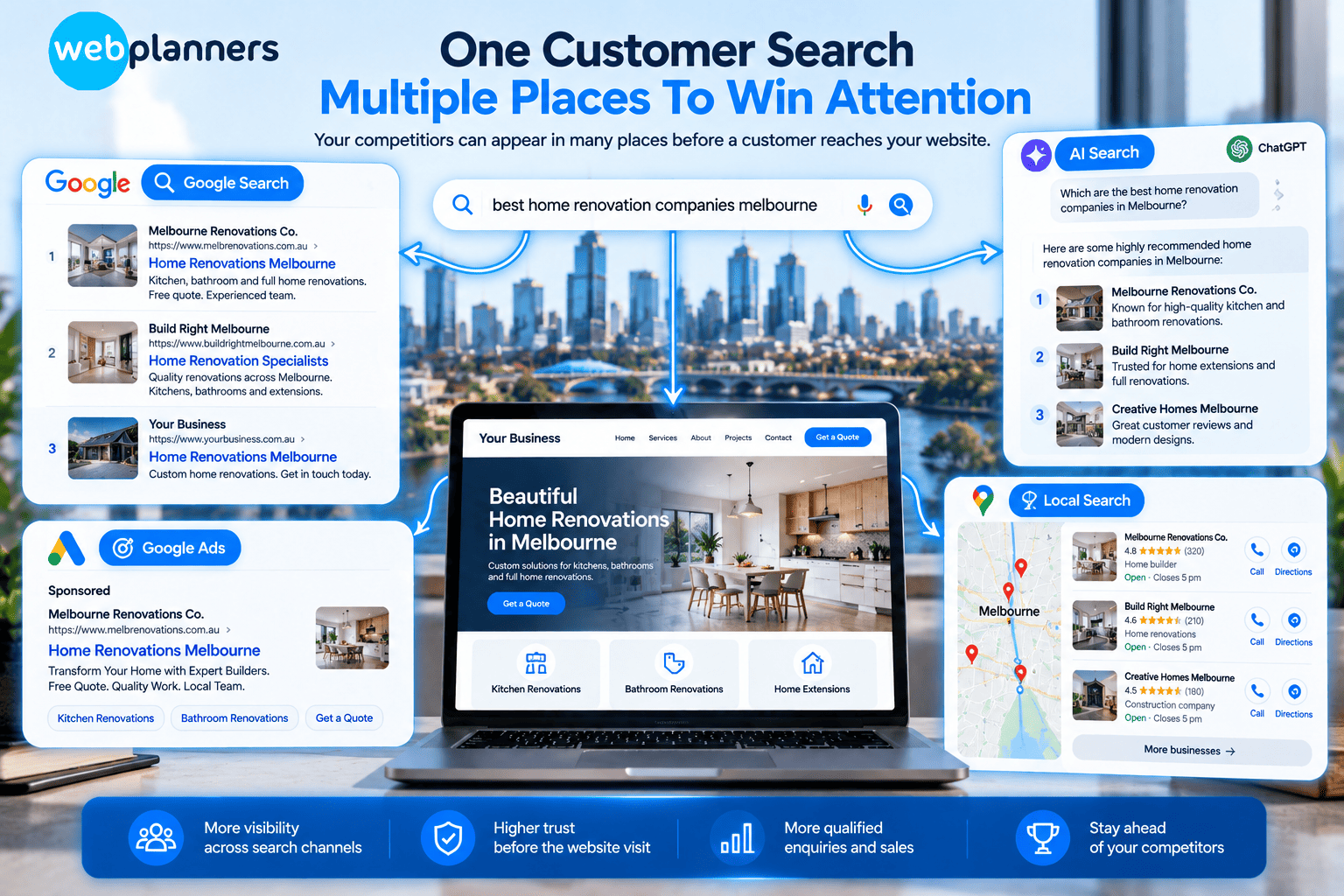
Organic rankings take a while to build. Ads let a business show up right away when someone’s ready to buy.
Picture a person searching for an urgent electrician. They don’t want to spend three days comparing. They want to ring someone now, and the business with a relevant ad and an obvious phone number gets the call.
The competitors winning those clicks usually have a few things in common:
- ads aimed at a specific service and location
- an offer that matches what the person searched for
- a landing page built for that ad, not the generic homepage
- a clear next step, like booking or requesting a quote
- campaigns judged on enquiries and sales, not just clicks
Ads don’t fix everything. Sloppy targeting, vague messaging and weak landing pages burn budget quickly. But when a competitor lines up the ad with what the customer wants, they reach buyers at exactly the right moment. If that’s a gap for you, take a look at our pay-per-click advertising service.
Reviews and Business Profiles Influence Decisions Before a Website Visit
Someone can form a view of your business without ever visiting your site. Star ratings, photos, opening hours, contact details and the way you reply to reviews all add up to a first impression.
Think about a person searching for a physiotherapist nearby. They’ll compare ratings, skim the latest reviews and check whether there are appointments, often all in the search results. If one clinic has fresh reviews and a complete profile and yours looks abandoned, they’ll call the other one.
Keep your Google Business Profile accurate, add real photos and reply to reviews politely, including the awkward ones. We’ve put together a Google Business Profile optimisation checklist for Melbourne businesses if you want something to work through.
Competitors Answer Questions You Have Left Unanswered
A list of services rarely gives anyone enough confidence to get in touch. People want to know what it costs, how long it takes, whether it suits them and why you’re different from the next provider.
If a competitor answers those questions and your site offers two lines per service, customers will find their answers somewhere else.
A custom kitchen business, for example, could explain what pushes a project’s price up or down, what the installation stages look like and how to prepare for the first consultation. That helps a visitor decide whether to reach out. Content like this can also show up in answer-style search results.
Write about what customers actually ask you, and answer directly from your own experience. We cover this in more detail in our plain-English piece on answer engine optimisation for Australian businesses.
Your Website Design May Not Support the Buying Decision
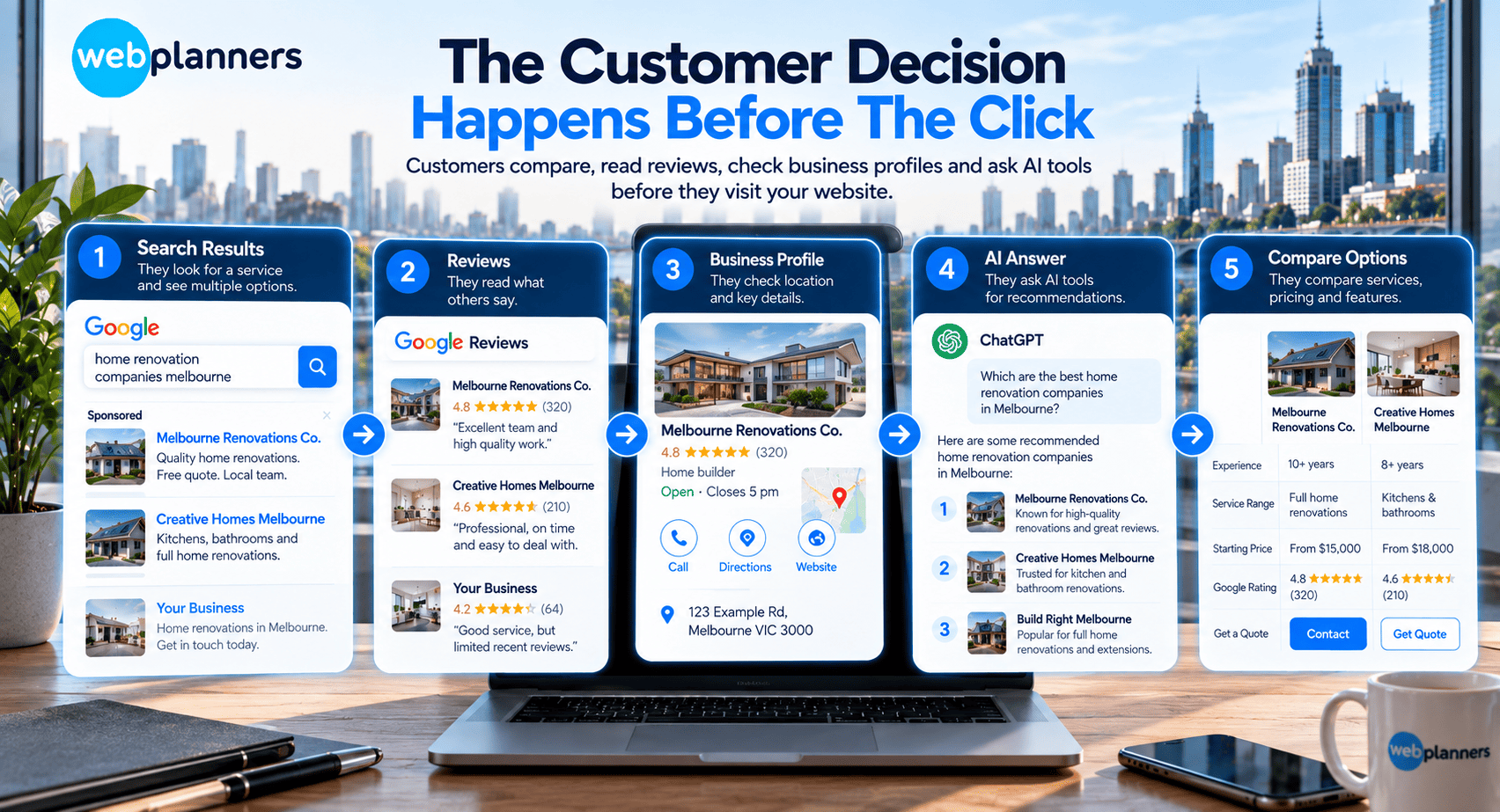
Even when customers do find you, they might not understand what you offer or what to do next.
Compare two home renovation companies. One site explains its services, shows real project examples and makes it simple to book a consultation. The other makes big claims and hides its contact details. Most people carry on with the first.
A site that helps people decide usually has:
- clear service information and a sensible page structure
- examples of your actual work
- contact options you can see without hunting
- readable content and consistent branding
- a short path from interest to enquiry
If your site is getting in the way, website design in Melbourne built around your business goals and customer needs is a good place to start.
Local Competitors May Be Reaching Customers You Never See
For businesses serving particular suburbs, local results often decide who gets considered. Someone searching for a nearby mechanic, accountant or childcare centre usually sees maps, business profiles, reviews and phone numbers before they see a regular website listing.
If a competitor shows up more often in those results, they get the calls and visits before anyone compares websites.
Google weighs relevance, distance and prominence for local results. You can help your case with accurate profile details, content about the areas you genuinely serve and a consistent presence across listings. Our local SEO services cover this, and the guide on AI for local SEO and Google Maps goes into how to improve your position on the map.
How to Find Where Competitors Are Reaching Customers First
Rather than guessing why a competitor gets more enquiries, look at the places customers compare you. Try this:
- Search for your main services and note who appears in the organic results, ads, local listings and AI answers.
- Compare what each business tells customers. Do they answer common questions, explain their services and show proof?
- Check which searches your competitors advertise on, and decide whether paid search suits your goals.
- Compare local profiles: how complete they are, how recent the reviews are and what service information is listed.
- Read your own customer feedback for repeated questions or reasons people chose someone else.
- Track qualified enquiries, calls, bookings and sales, not just visits.
You’re looking for specific gaps that affect decisions. You don’t need to copy everything a competitor does. Pick the channels and information your customers actually use.
Get Your Business In Front Of Customers Earlier
Conclusion
Your competitors may be winning because they show up in more relevant searches, answer questions sooner, earn trust through reviews or make their services easier to compare.
You can respond by working out how your customers research and choose, then improving the information and visibility that shape those choices. SEO, AI search, ads, local search and website design each do a different job.
Webplanners helps Melbourne businesses get found and chosen, and the goal is simple: get you considered before the shortlist is final. Get in touch with us to learn how we can help you.
FAQs
Why do customers choose competitors even when my business offers similar services?
Customers compare more than the service itself. Visibility, reviews, clear information, response times, pricing and trust all play a part. A competitor may simply explain its value better before anyone visits either website.
Can AI search recommend my competitors instead of my business?
Yes, it can. AI tools build answers from the content they can find, and results differ by question and platform. Clear, accurate service information and useful content help your chances, but nobody can guarantee a mention.
Should I invest in SEO, Google Ads or website design first?
It depends on where customers are dropping off. If people can’t find you, search optimisation or ads may close the gap. If they visit but don’t enquire, the website experience is the likelier problem. Look at your performance data first, then decide where the budget goes.
The post Why Competitors Win Customers Before They Reach Your Website appeared first on Webplanners.
]]>